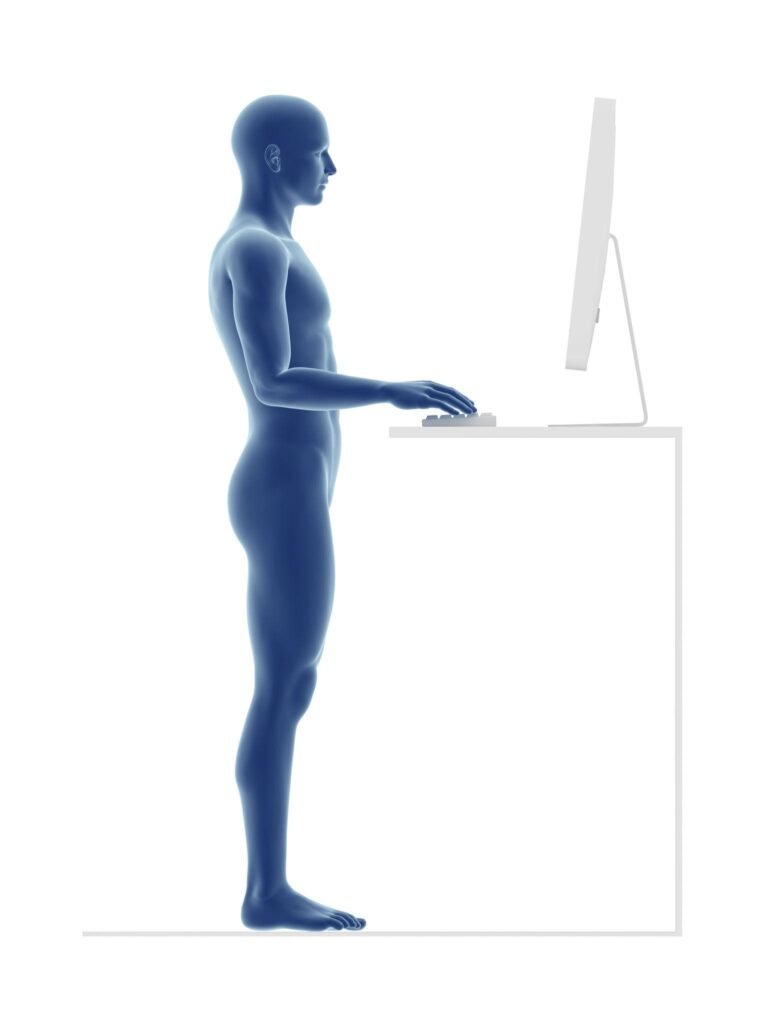
Ever wondered why you feel so tired after just eight hours of sitting? Sharp soreness often comes from a bad desk setup. Many ignore these signs until the pain becomes constant.
A poor workspace layout stresses your spine, shoulders, and neck all day long. The good news is you do NOT need an expensive office remodel to fix it.
Small ergonomic changes can dramatically improve comfort, posture, and energy levels during your workday.
This guide will show you simple adjustments and affordable tools that can transform a painful workstation into a comfortable and productive workspace.
Key Takeaways
- Monitor should sit at eye level
- Feet must stay flat on the floor
- Chair needs lumbar support
- Keyboard should keep elbows relaxed
- Movement breaks prevent stiffness
Understanding the Link Between Poor Desk Setup and Pain
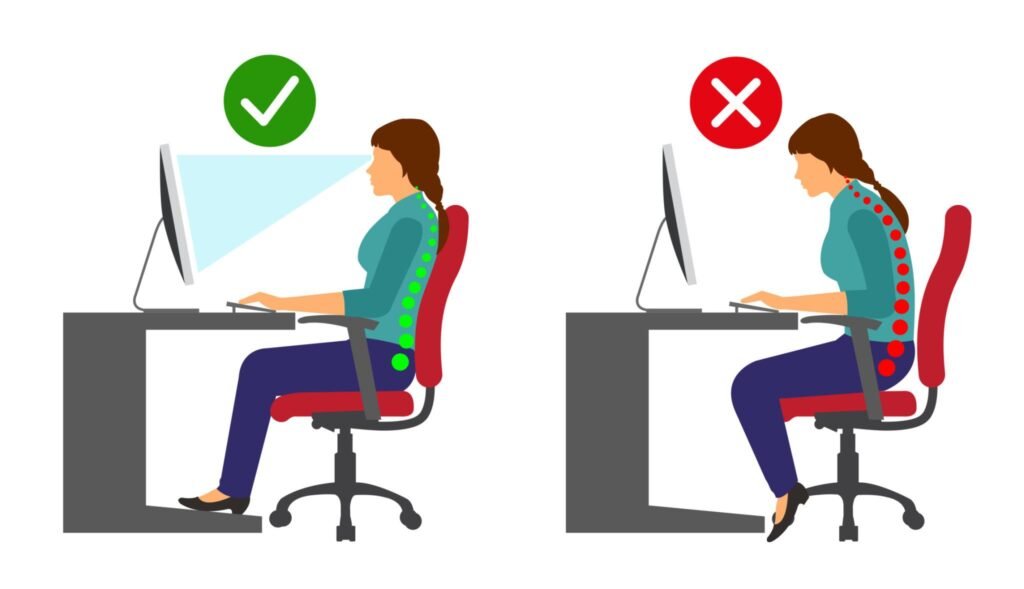
A poorly arranged desk quietly creates chronic back and neck pain. When your monitor is too low or your chair lacks support, muscles remain under tension for hours.
This leads to:
- neck stiffness
- shoulder tightness
- lower back pain
- headaches
- wrist strain
Ergonomics isn’t just about comfort — it prevents long-term injury and fatigue.
The Ergonomic Posture Triangle
Your monitor, keyboard, and chair should form what experts call the ergonomic posture triangle.
Correct alignment:
- Monitor 20–25 inches away
- Top of screen at eye level
- Elbows near 90°
- Feet flat on floor
If you already notice stiffness after long sitting sessions, read our guide on why your lower back hurts after sitting and how to fix it quickly.
Choosing the Right Ergonomic Chair
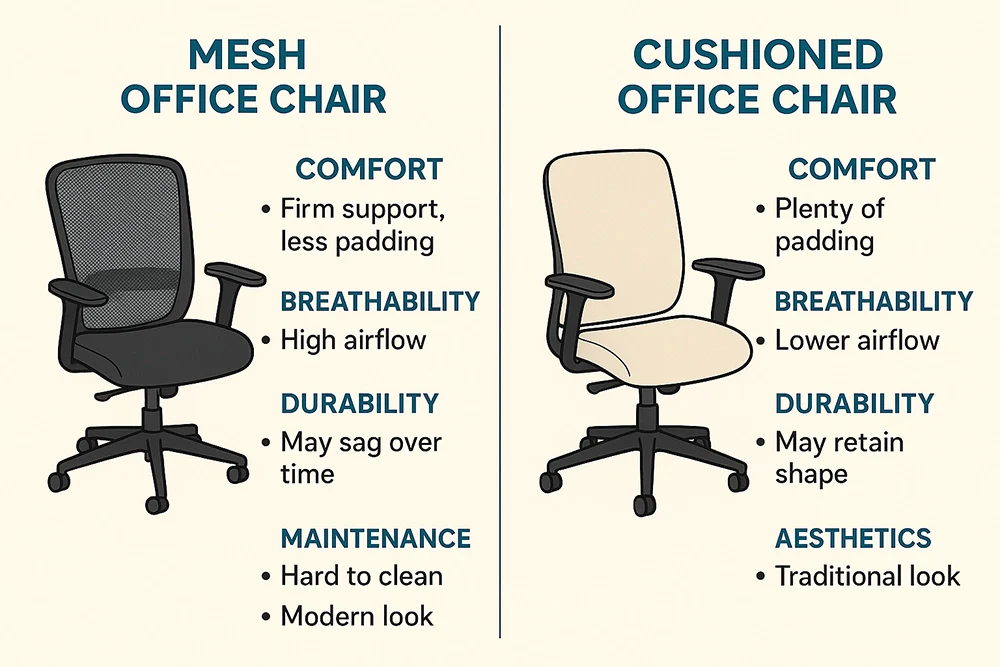
A chair is the most important ergonomic investment you can make.
Required features:
- Lumbar support
- Adjustable height
- Adjustable armrests
- Seat depth adjustment
Your knees should be level with or slightly below your hips.
Monitor Positioning to Prevent Neck Pain
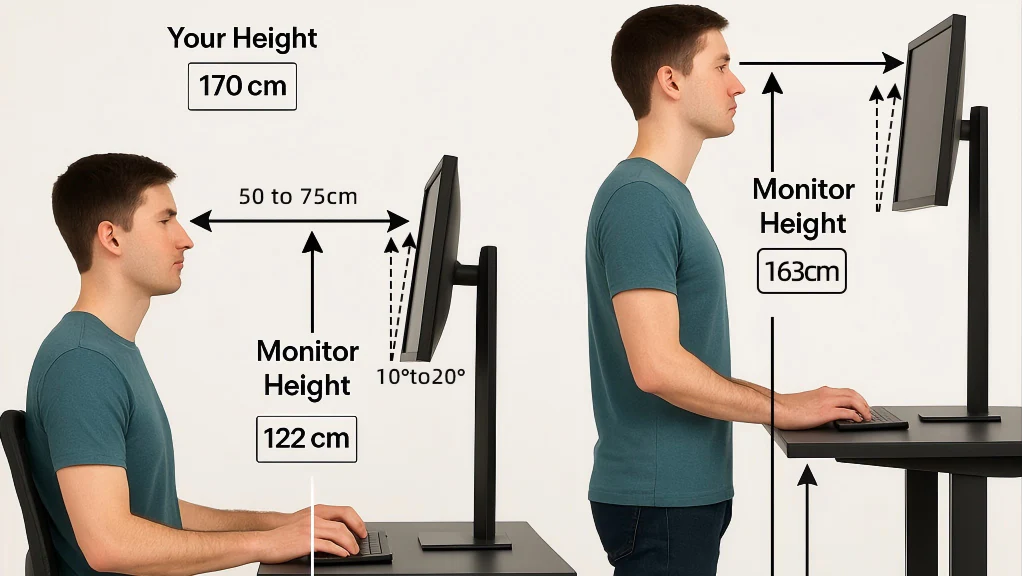
Your monitor position directly determines neck strain.
Correct placement:
- Directly in front of you
- Eye level
- 20–25 inches away
Avoid laptops sitting flat on a desk — they force your neck downward all day.
Keyboard, Mouse, and Wrist Support
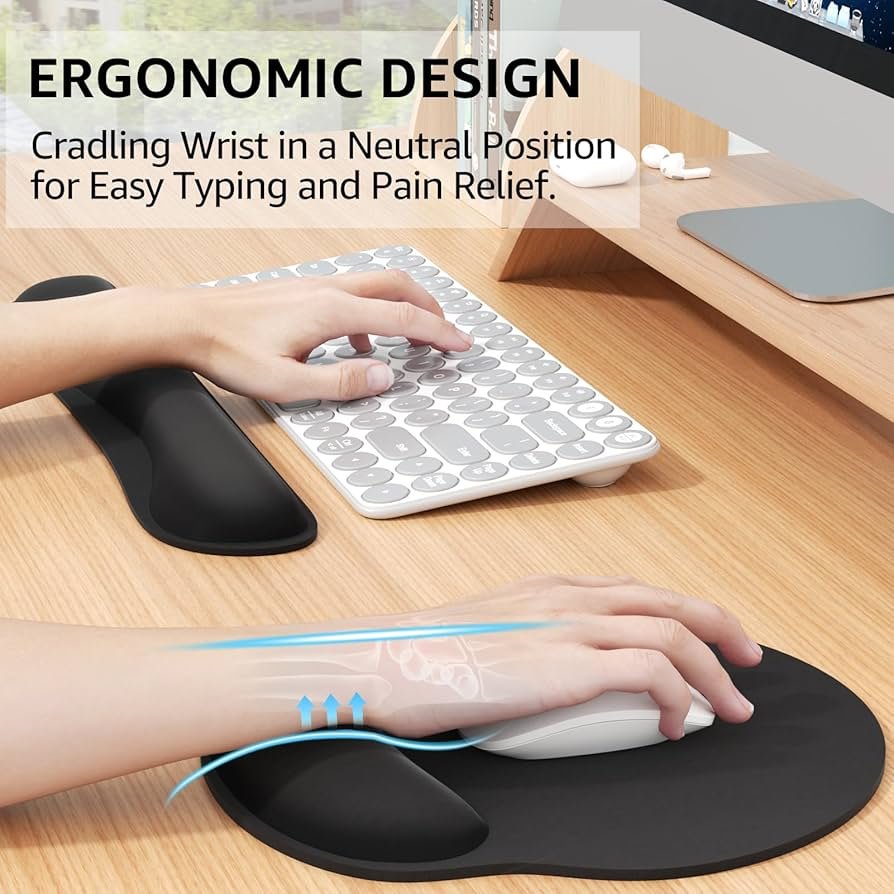
Your hands should float naturally — not bend upward or downward.
Helpful tools:
- Split keyboards
- Vertical mice
- Wrist rests (only lightly used)
- Keyboard trays
Wrists should remain straight while typing.
Desk Accessories That Improve Comfort
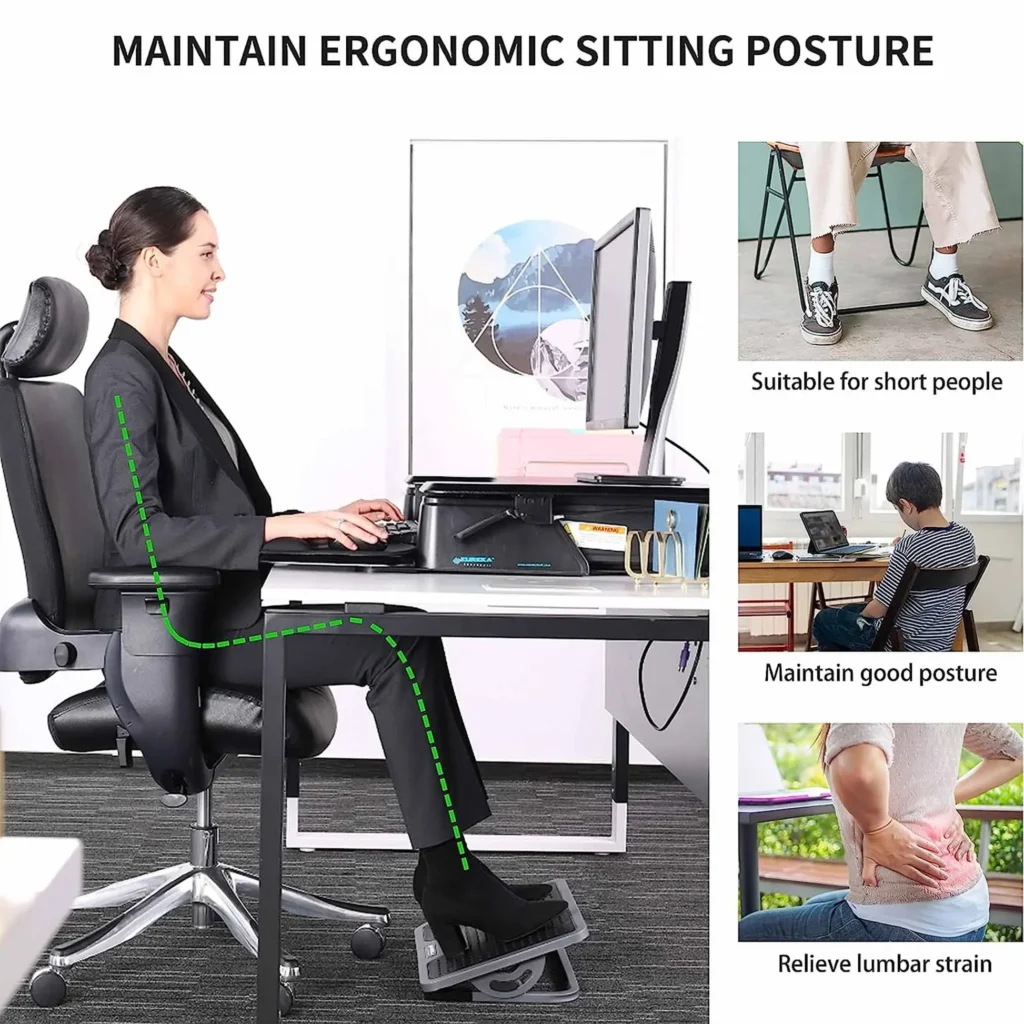
You don’t need expensive furniture. Small additions create huge improvements. Proper lighting also prevents headaches and eye fatigue — here’s how to choose the best desk lamp for eye comfort.
Helpful accessories:
- Footrest
- Lumbar pillow
- Desk converter
- Task lighting
Conclusion
A comfortable workspace isn’t a luxury — it’s essential for long-term health and productivity.
By adjusting your chair, monitor height, and keyboard placement, you remove constant strain from your body. These simple ergonomic fixes can prevent daily soreness and help you stay focused longer.
Start with one or two improvements today and your body will notice immediately.
This article is for informational purposes only and does not constitute medical advice. MarketPlazaNow.com participates in affiliate programs and may earn a commission from qualifying purchases at no extra cost to you.