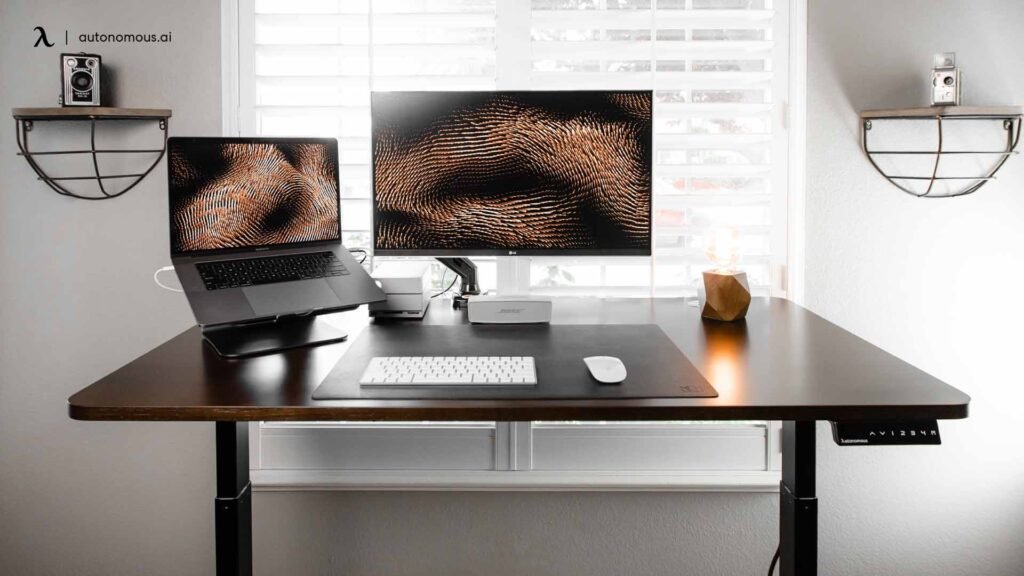
Ever feel stiff, distracted, or tired after sitting at your desk all day? Many people working from home unknowingly create a workspace that works against their body instead of supporting it.
A productive workspace isn’t about buying expensive gadgets. It’s about creating an environment where your body stays aligned, comfortable, and focused.
If you want to build a healthier and more comfortable workspace, it also helps to understand the basics of proper desk ergonomics and posture.
The right desk setup can reduce back pain, prevent eye strain, and help you stay productive for longer periods. Small ergonomic adjustments often make a huge difference.
Let’s look at how to build a desk setup that improves both productivity and comfort.
Key Takeaways
- Focus on body alignment before buying expensive equipment
- Keep your monitor at eye level to reduce neck strain
- Use ergonomic accessories for better comfort
- Maintain movement throughout the day
- Keep frequently used tools within easy reach
- Use proper lighting to reduce eye fatigue
Why Your Workspace Setup Impacts Productivity
Your workspace setup directly affects how comfortable and focused you feel during the day.
Poor desk setups often cause:
- Neck stiffness
- Shoulder tension
- Lower back pain
- Wrist discomfort
- Eye strain
Over time, these problems reduce concentration and productivity.
Many remote workers assume discomfort is normal, but in most cases it’s caused by simple ergonomic mistakes.
Improving your workspace setup helps create an environment where your body stays comfortable and your mind stays focused.
Choosing the Right Desk and Chair
Your desk and chair are the foundation of your entire workspace.
Standing Desks vs Fixed Height Desks
Standing desks allow you to switch between sitting and standing during the day. This movement helps reduce stiffness and improves circulation.
Fixed-height desks are simpler and usually more affordable, but they don’t provide the same flexibility.
Standing Desk Benefits
- Encourages movement
- Reduces long sitting periods
- Helps reduce back stiffness
Fixed Desk Benefits
- Lower cost
- Simple setup
- Works well in smaller spaces
Ergonomic Office Chair Requirements
A good ergonomic chair is one of the most important investments for a home office.
Look for these features:
- Adjustable height
- Lumbar support
- Adjustable armrests
- Breathable materials
- Stable base and wheels
A proper chair helps maintain healthy posture and prevents lower back pain.
Monitor Setup and Screen Ergonomics
Your monitor placement plays a major role in preventing neck and eye strain.
Proper Monitor Height
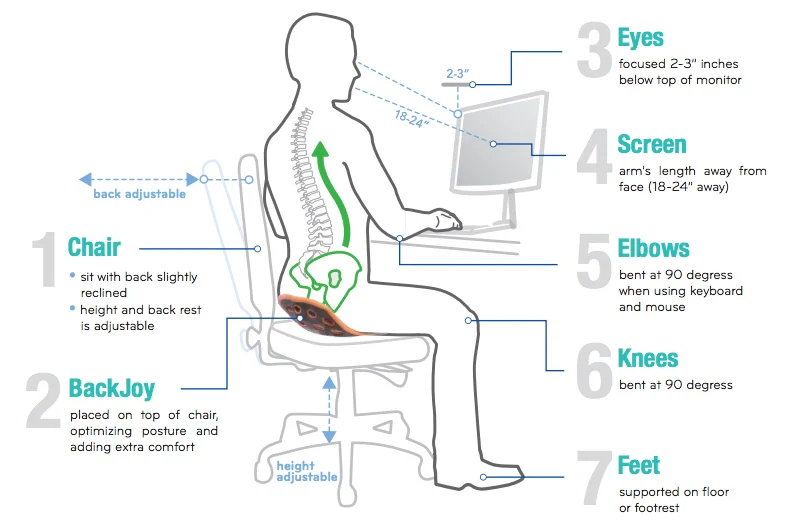
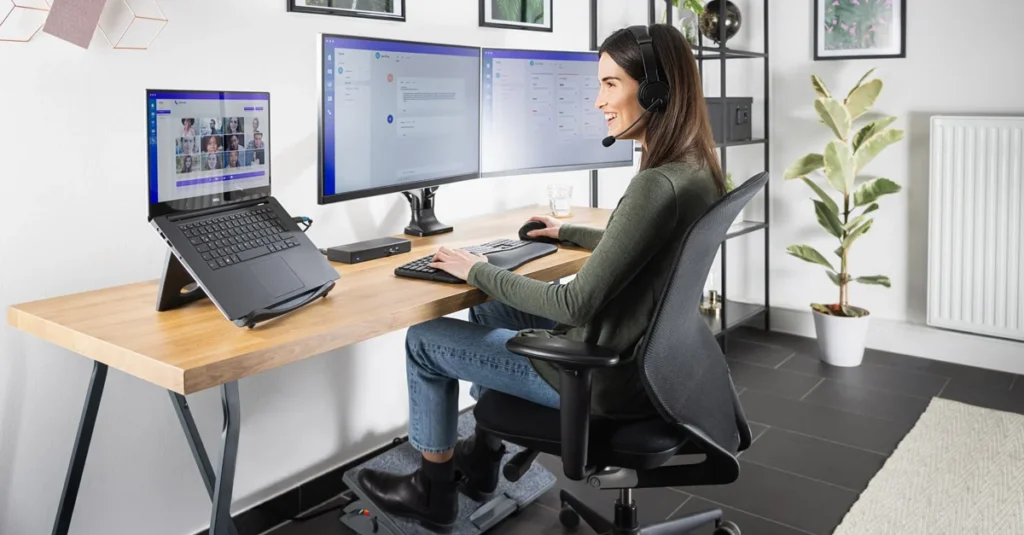
The top of your monitor should sit at or slightly below eye level.
Your screen should also sit about an arm’s length away from your eyes.
This setup helps prevent neck bending and reduces eye fatigue.
Monitor Arms and Adjustable Stands
Monitor arms allow you to adjust:
- Height
- Tilt
- Viewing distance
- Screen angle
These adjustments help create a more natural viewing position.
Multi-Monitor Workspaces
If you use multiple screens:
- Place your primary monitor directly in front of you
- Place secondary screens slightly to the side
This reduces unnecessary neck movement.
Keyboard and Mouse Ergonomics
Your keyboard and mouse position affects wrist and arm comfort.
Keyboard Position
Your keyboard should sit at a height where:
- Your elbows remain close to your body
- Your wrists stay straight
- Your forearms stay parallel to the floor
Ergonomic keyboards can also help reduce wrist strain.
Mouse Placement
Your mouse should stay close to the keyboard.
Keeping your mouse within easy reach prevents shoulder strain.
Some workers also benefit from ergonomic options like:
- Vertical mice
- Trackball mice
- Touchpad alternatives
Lighting and Workspace Accessories
Lighting is one of the most overlooked parts of a productive desk setup.
Poor lighting can cause eye strain, headaches, and fatigue.
Lighting is another major factor that affects productivity and eye comfort, especially for people working long hours at a computer.
Accessories That Improve Desk Comfort
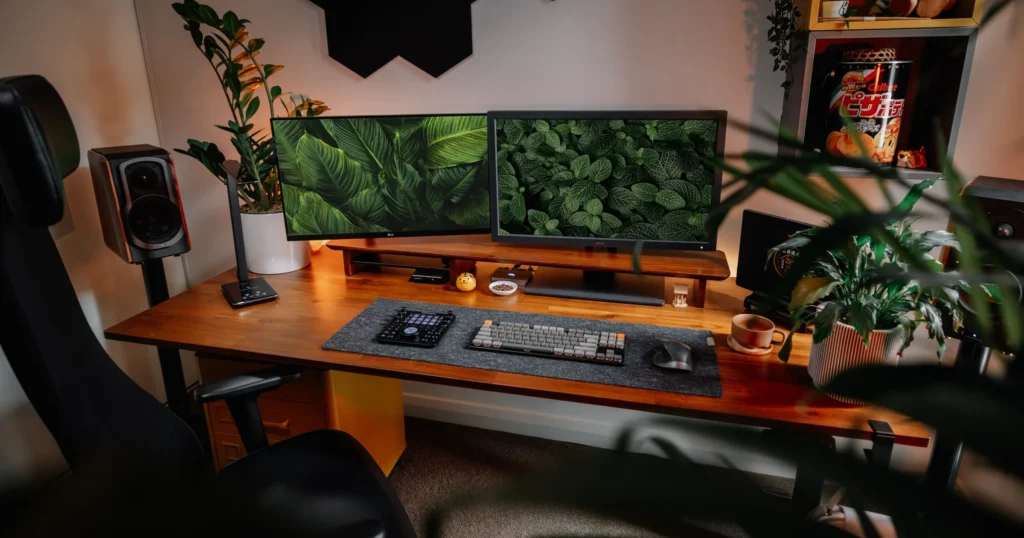
Several simple accessories can dramatically improve comfort.
Helpful workspace accessories include:
- Footrests for posture support
- Cable management trays
- Monitor arms
- Anti-fatigue mats
- Adjustable desk lamps
These small upgrades help keep your workspace organized and comfortable.
Practical Tips for Improving Your Workspace
Follow the 90 Degree Posture Rule
When sitting at your desk:
- Elbows should remain around 90 degrees
- Knees should stay near 90 degrees
- Feet should remain flat on the floor
This posture reduces strain on your joints and muscles.
Test Equipment Before Buying
Whenever possible, test ergonomic equipment before purchasing.
Not every chair, desk, or keyboard fits every person the same way.
Trying equipment first helps you avoid expensive mistakes.
Upgrade Your Workspace Gradually
You don’t need to buy everything at once.
Start with the most important improvements:
- Ergonomic chair
- Proper monitor height
- Better lighting
Then gradually upgrade accessories over time.
If you want more ideas for building an efficient home workspace, explore these practical desk setup ideas that improve productivity and comfort.
Conclusion
Creating the best desk setup for productivity and comfort doesn’t require an expensive office renovation.
Small ergonomic improvements can dramatically improve how you feel and perform while working.
Start with simple adjustments like raising your monitor or improving your chair support. Then slowly build a workspace that supports your body and your productivity.
A well-designed workspace helps you stay focused, comfortable, and productive throughout the day.
Disclaimer
This article is for informational and educational purposes only and does not constitute medical, ergonomic, or professional advice. Individual comfort and ergonomic needs may vary. Always consult a qualified professional if you experience persistent pain or discomfort while working.