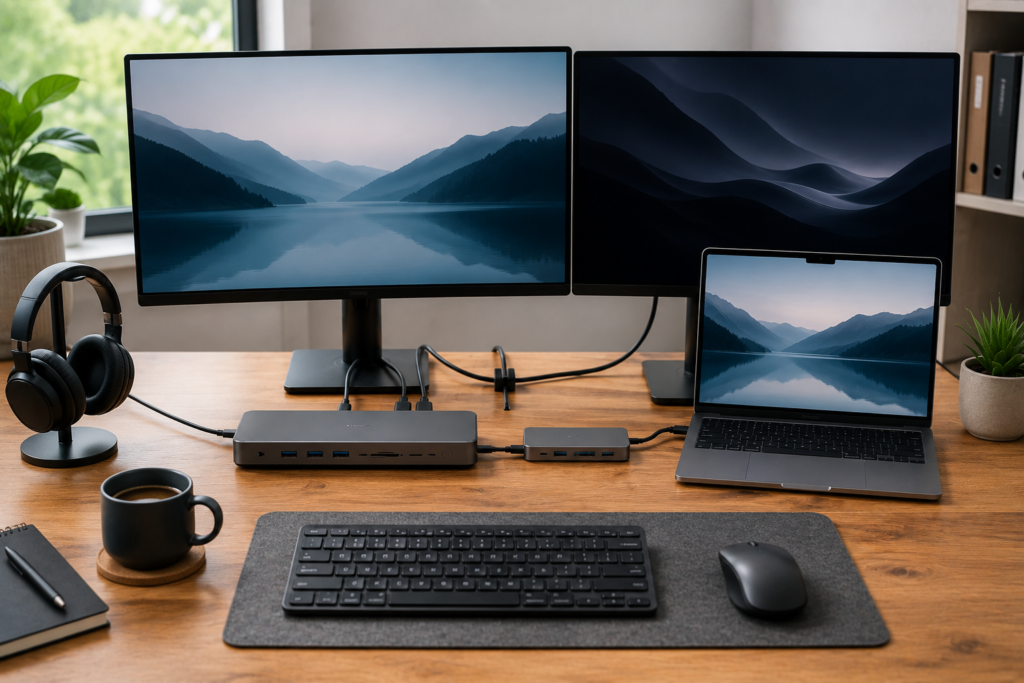
Learn the difference between a USB-C docking station and a USB hub. Compare features, performance, and which option is best for your home office or laptop setup.
If you’ve been shopping for ways to expand your laptop’s connectivity, you’ve probably come across both USB-C docking stations and USB hubs. At first glance they may look similar, but they serve different purposes and are designed for different users.
Choosing the right one can save you money while giving you the features you actually need. Whether you’re building a home office, working remotely, or simply want more ports for your laptop, understanding the differences will help you make the best decision.
👉 Compare today’s top-rated USB-C docking stations and USB hubs on Amazon to see which one fits your workspace and budget.
What Is a USB-C Docking Station?
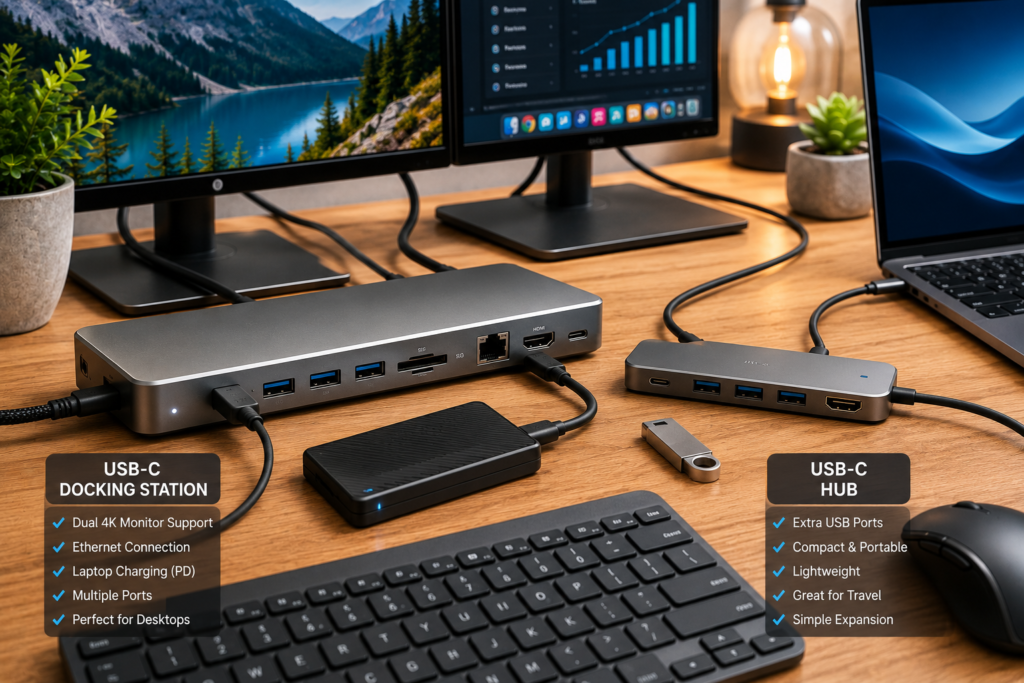
A USB-C docking station is designed to turn your laptop into a complete desktop workstation using a single USB-C cable.
Most docking stations include:
- Multiple USB-A ports
- USB-C ports
- HDMI outputs
- DisplayPort
- Ethernet connection
- SD card reader
- Audio jack
- Laptop charging through Power Delivery
Docking stations are ideal for professionals who leave their laptop connected to the same workstation every day.
What Is a USB Hub?
A USB hub is a simpler and more portable device that adds extra USB ports to your laptop.
Most USB hubs include:
- Additional USB-A ports
- USB-C ports
- Occasionally an HDMI port
- Compact lightweight design
USB hubs are perfect for travel or for users who simply need more USB connections.
Key Differences
Number of Ports
Docking stations offer significantly more connections, including display outputs and wired networking.
USB hubs typically focus on providing extra USB ports with fewer additional features.
External Monitor Support
A docking station can easily support one or two external monitors, with some premium models supporting even more.
Many basic USB hubs either don’t support external displays or only support a single monitor.
Laptop Charging
Most docking stations provide Power Delivery, allowing you to charge your laptop while using all your connected devices.
Many USB hubs do not provide enough power to fully charge a laptop.
Ethernet Connection
Docking stations almost always include a Gigabit Ethernet port for faster and more reliable internet.
Most USB hubs do not.
Best for Home Offices
If you work from home every day, a docking station offers a much more complete and convenient solution.
USB hubs are better suited for occasional use or travel.
Which One Should You Buy?
Choose a USB-C Docking Station if you:
- Use dual monitors
- Work from home daily
- Need Ethernet
- Want laptop charging
- Use many accessories
- Want a permanent workstation
Choose a USB Hub if you:
- Travel frequently
- Only need a few extra USB ports
- Want a lightweight accessory
- Have a limited budget
Our Recommended USB-C Docking Stations
Anker 575 USB-C Docking Station
An excellent all-around choice for remote workers needing multiple display outputs and fast laptop charging.
👉 Check today’s Amazon price and customer reviews.
Plugable USB-C Triple Display Dock
Perfect for multitasking with multiple monitors while keeping your desk organized.
👉 View today’s deals on Amazon.
UGREEN Revodok USB-C Dock
A compact option offering great value for home office users.
Our Recommended USB Hubs
Anker USB-C Hub
A reliable choice for travelers who simply need extra USB ports and HDMI connectivity.
👉 Check the latest Amazon pricing.
UGREEN USB-C Hub
Compact, affordable, and easy to carry in a laptop bag.
👉 View customer reviews on Amazon.
Frequently Asked Questions
Can a USB hub replace a docking station?
Not completely. While a USB hub adds ports, it usually lacks the advanced features, charging capabilities, and monitor support found in a docking station.
Are docking stations worth the extra money?
If you regularly work from home or use multiple monitors, a docking station is often worth the investment because it improves productivity and reduces cable clutter.
Do docking stations work with both Windows and Mac?
Many modern USB-C docking stations support both operating systems, but it’s always worth checking compatibility before purchasing.
Can I connect dual monitors with a USB hub?
Some premium USB hubs support external displays, but docking stations are generally the better choice for reliable dual-monitor performance.
Final Thoughts
Both USB-C docking stations and USB hubs serve useful purposes, but they’re designed for different needs. A docking station is the better option for creating a permanent, productive home office, while a USB hub offers a simple, affordable way to expand your laptop’s connectivity on the go.
Before making your purchase, consider how many devices you connect each day and whether you need external monitor support, laptop charging, or wired internet.
👉 Compare today’s prices and customer ratings on Amazon to find the right solution for your workspace.
You May Also Like
If you’re building a complete home office, read our guide:
Best USB-C Docking Stations for Dual Monitors
You may also find this helpful:
Portable Power Station vs Gas Generator: Which Is Better for Home Backup?
Amazon Products
- Anker 575 USB-C Docking Station
- Plugable USB-C Triple Display Dock
- UGREEN Revodok USB-C Dock
- Anker USB-C Hub
- UGREEN USB-C Hub
As an Amazon Associate, MarketPlazaNow earns from qualifying purchases. This comes at no additional cost to you.