If your eyes feel tired, dry, or strained after working at your desk, your lighting setup is probably the problem.
Most people focus on screens, chairs, or posture—but lighting is one of the biggest factors affecting comfort and productivity.
In this guide, you’ll learn how to create the best office lighting setup for your eyes so you can work longer without discomfort.
Why Lighting Matters for Eye Comfort
Poor lighting causes:
- Eye strain
- Headaches
- Blurry vision
- Reduced focus
The biggest mistake people make is working in a dark room with a bright screen, which forces your eyes to constantly adjust.
The Perfect Desk Lighting Setup
✅ 1. Use a Desk Lamp (Not Just Overhead Light)
A desk lamp provides focused lighting where you need it most.
Look for:
- Adjustable brightness
- Warm to neutral tones (4000K–5000K)
- Flicker-free LED
✅ 2. Position Your Light Correctly
Place your lamp:
- Opposite your dominant hand
- Slightly behind your monitor
- Angled to avoid screen glare
👉 If your current setup feels off, this guide can help you fix it step-by-step
✅ 3. Avoid Harsh Overhead Lighting
Bright ceiling lights can cause glare and uneven lighting.
Instead:
- Combine ambient + task lighting
- Use soft, diffused light sources
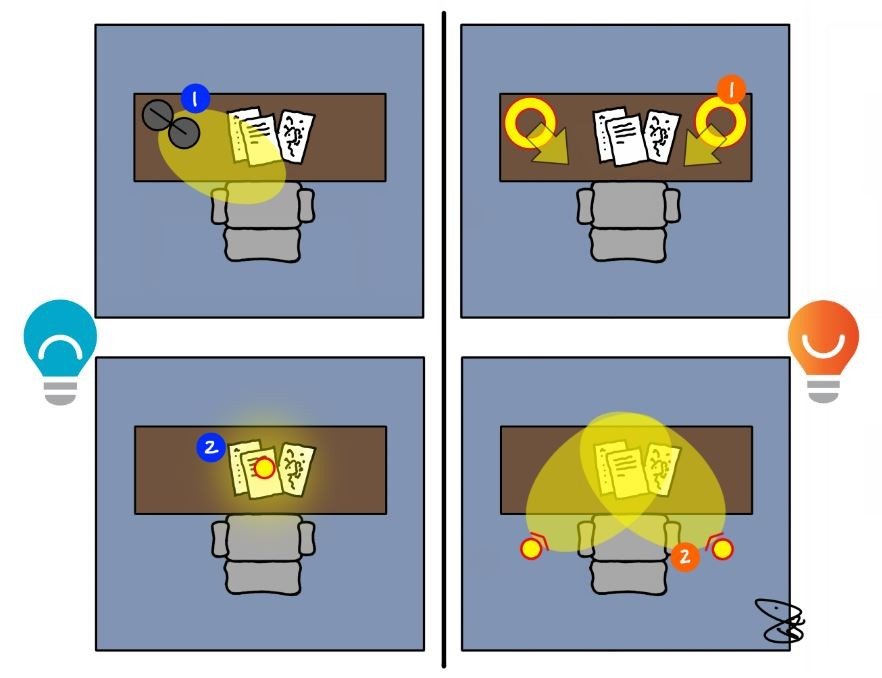
Proper desk lamp placement to reduce eye strain
Best Types of Lighting for Eye Comfort
💡 LED Desk Lamps
- Energy efficient
- Adjustable brightness
- Best for long work sessions
💡 Natural Light
- Reduces fatigue
- Improves mood
- Place desk near a window if possible
💡 Bias Lighting (Behind Monitor)
- Reduces contrast strain
- Helps your eyes relax
Common Lighting Mistakes to Avoid
- Working in a dark room
- Using overly bright white light
- Placing light directly in front of screen
- Ignoring glare
Final Thoughts
The right lighting setup can completely transform your workspace.
Once you fix your lighting, you’ll notice:
- Less eye strain
- Better focus
- More comfortable work sessions
MarketPlazaNow.com participates in affiliate programs and may earn a commission from qualifying purchases. This content is for informational purposes only.