This post may contain affiliate links. If you purchase through these links, I may earn a small commission at no extra cost to you.
If you spend hours in front of a screen, your lighting setup can either protect your eyes—or slowly wear them down.
Poor lighting creates glare, harsh contrast, and constant eye strain. But with the right setup, you can instantly reduce fatigue and make your workspace far more comfortable.
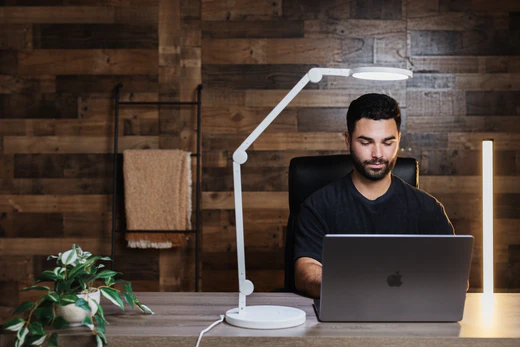
Why Your Lighting Setup Matters More Than You Think
Most people blame screens for eye strain, but lighting is often the real problem.
Bad lighting causes:
- Eye fatigue and dryness
- Headaches and tension
- Reduced focus and productivity
A proper lighting setup creates balance between your screen and your environment, so your eyes don’t have to constantly adjust.
👉 If you’re looking for the best lighting options to reduce eye strain, check this guide
The Perfect Lighting Setup for Computer Work
1. Use a Primary Desk Lamp (Not Overhead Lighting)
Overhead lights create uneven lighting and harsh shadows.
Instead:
- Use a desk lamp positioned beside your monitor
- Aim the light at your desk—not your eyes
- Keep brightness balanced with your screen
👉 You can explore top lamp options here:
2. Add Ambient Lighting (Bias Lighting)
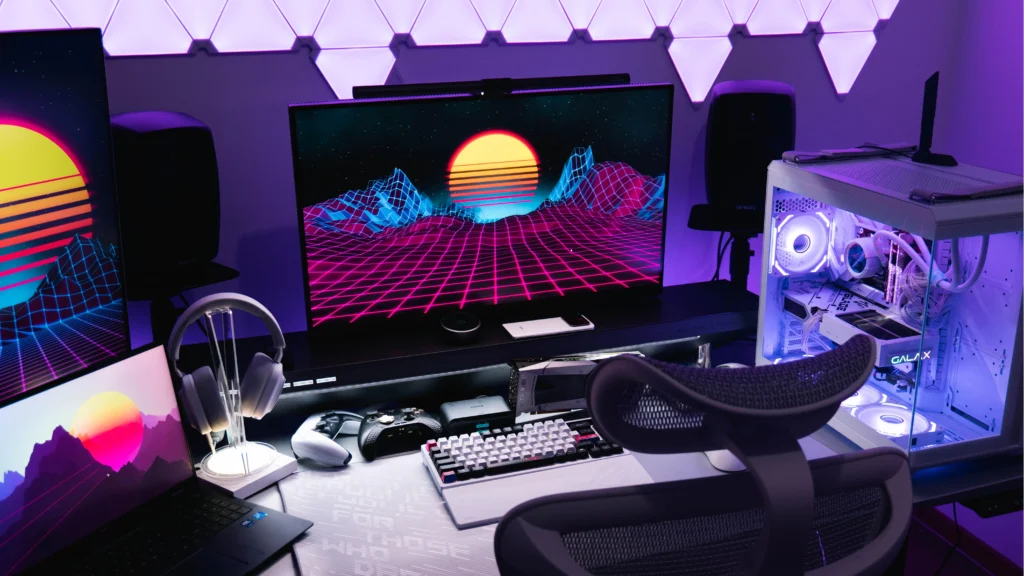
One of the biggest mistakes is working in a dark room with a bright screen.
Fix this by adding:
- Soft light behind your monitor
- LED light strips or background lamps
This reduces contrast and makes your screen easier on your eyes.
3. Match Brightness with Your Screen
Your room lighting should never be drastically brighter or darker than your screen.
Quick rule:
- Bright screen = brighter room
- Dim screen = softer lighting
This keeps your eyes from constantly adjusting.
4. Choose the Right Color Temperature
Lighting tone matters more than most people realize:
- Cool white light → best for focus and daytime work
- Warm light → best for evenings and reduced eye stress
Switching between these can dramatically improve comfort.
Common Lighting Mistakes to Avoid
Even small mistakes can cause big problems:
- Lamp shining directly into your eyes
- No background lighting behind your screen
- Using only overhead lighting
- Extremely bright or dim environments
👉 You can also explore more ways to improve comfort and productivity here
Simple Setup You Can Do Today
Follow this quick checklist:
- Place a desk lamp to the side of your monitor
- Add soft lighting behind your screen
- Adjust brightness to match your display
- Use cooler light during the day, warmer at night
These changes take minutes—but make a huge difference.
Final Thoughts
The best lighting setup for computer work isn’t complicated—it’s about balance.
When your lighting works with your screen instead of against it, you’ll notice:
- Less eye strain
- Better focus
- More comfortable work sessions
Small adjustments can completely transform how your workspace feels.