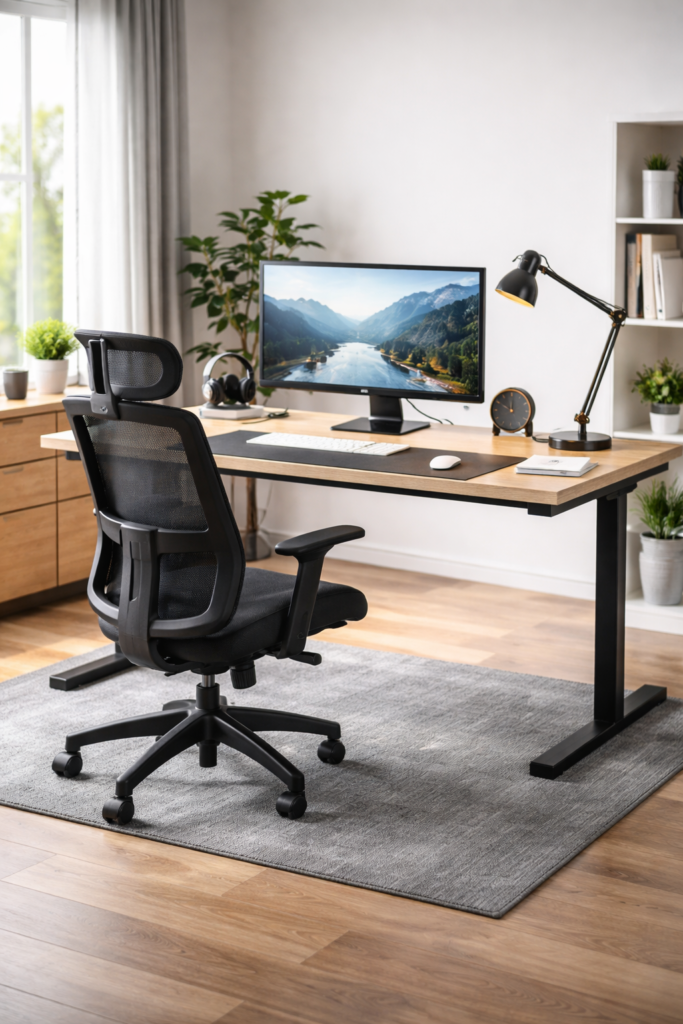
Ever notice your focus disappearing after about an hour at the computer? Or your back tightening up even though you haven’t done anything physical?
Most remote workers assume it’s motivation or fatigue.
It usually isn’t.
It’s your desk setup.
Your environment directly affects concentration, posture, energy levels, and even mental clarity. A proper work-from-home workspace isn’t just about buying a nicer chair — it’s about building a setup that supports your body for hours at a time.
In this guide, you’ll learn how to create a desk setup that improves comfort, prevents strain, and helps you stay productive throughout the day.
Why Your Workspace Design Matters More Than You Think
A poorly designed workspace slowly drains both your body and your focus. You may not notice it at first, but over time it leads to:
• neck tension
• headaches
• lower back pain
• mental fatigue
• decreased concentration
A good setup does the opposite. It reduces stress on your joints and lets your brain focus on tasks instead of discomfort.
To build a comfortable workspace, start with the same principles used in home office accessories that improve comfortand productivity.
home office accessories that improve comfort
Choosing the Right Desk
Your desk determines your posture more than any other item.
Height-Adjustable Standing Desks
These allow you to alternate between sitting and standing during the day. That movement improves circulation and reduces stiffness.
Benefits:
• more energy
• less back pain
• improved focus
• reduced afternoon fatigue
Fixed Desks
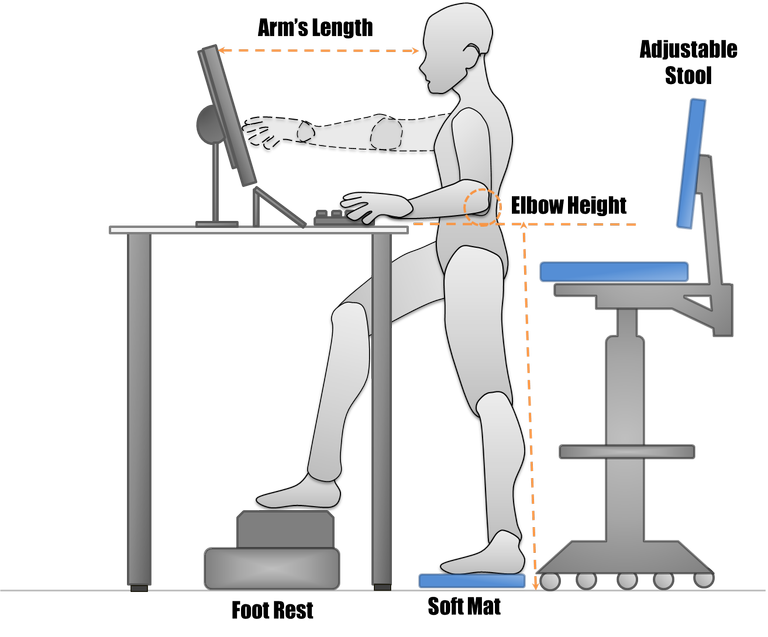
A traditional desk still works well — but only if it’s the correct height. Your elbows should sit at about a 90-degree angle when typing.
If your desk is too high, your shoulders tense.
Too low, and you hunch forward.
Ergonomic Seating That Prevents Discomfort
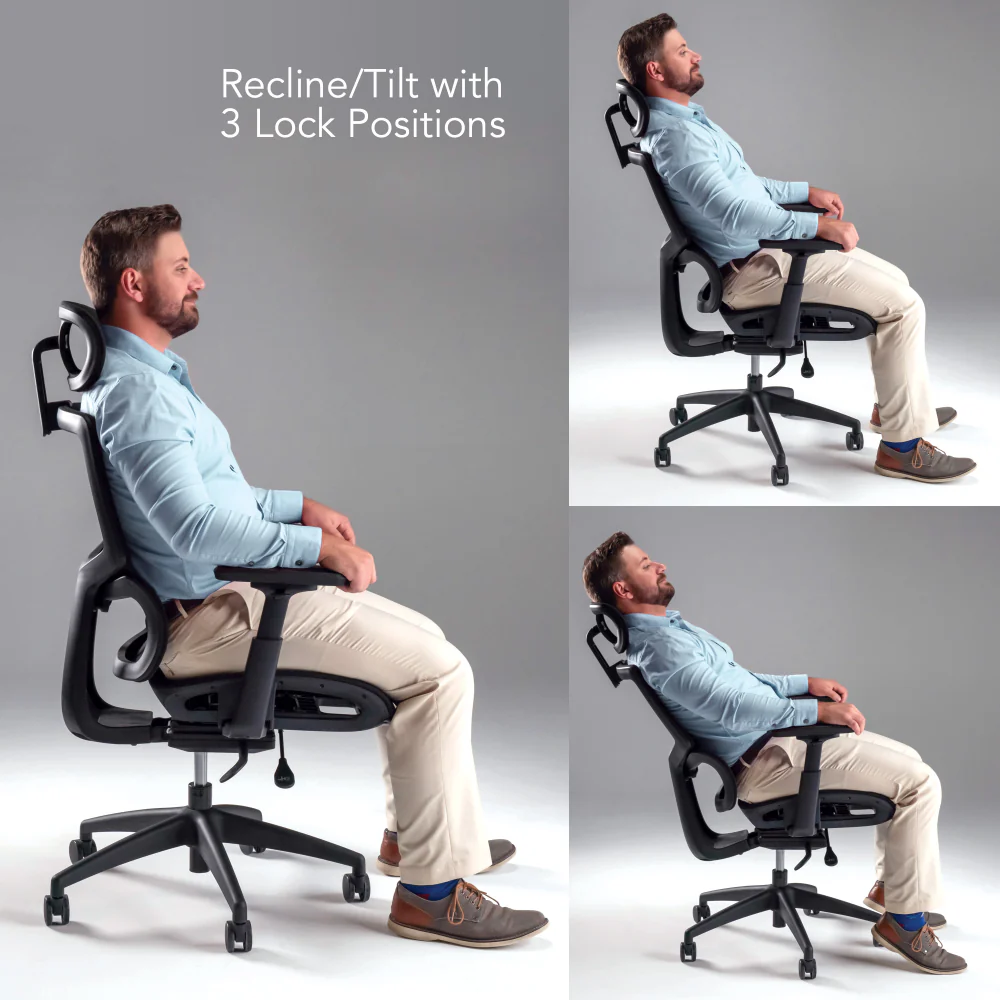
Your chair is the number one factor affecting long-term comfort.
Look for:
• lumbar support
• adjustable height
• adjustable armrests
• seat depth adjustment
Your feet should rest flat on the floor and your knees should sit level with or slightly below your hips.
A bad chair doesn’t just cause discomfort — it causes fatigue because your muscles are constantly compensating.
Monitor Placement and Screen Position
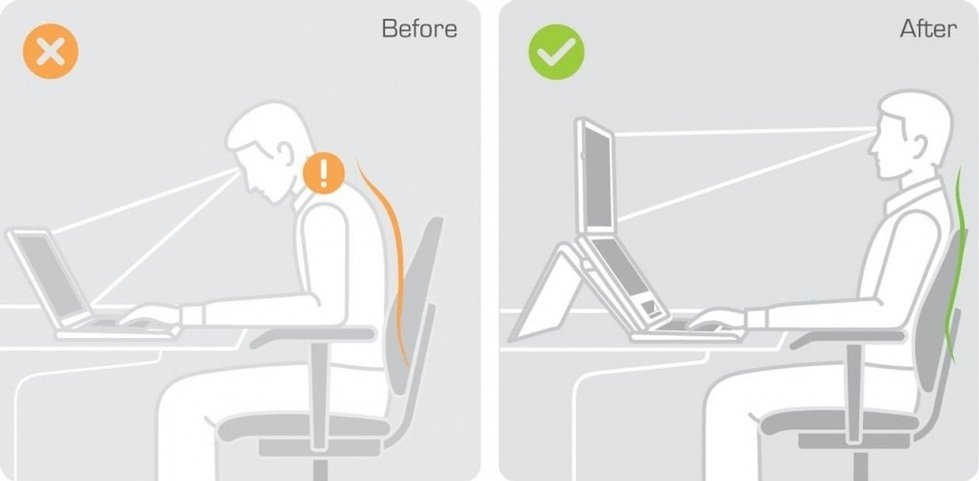
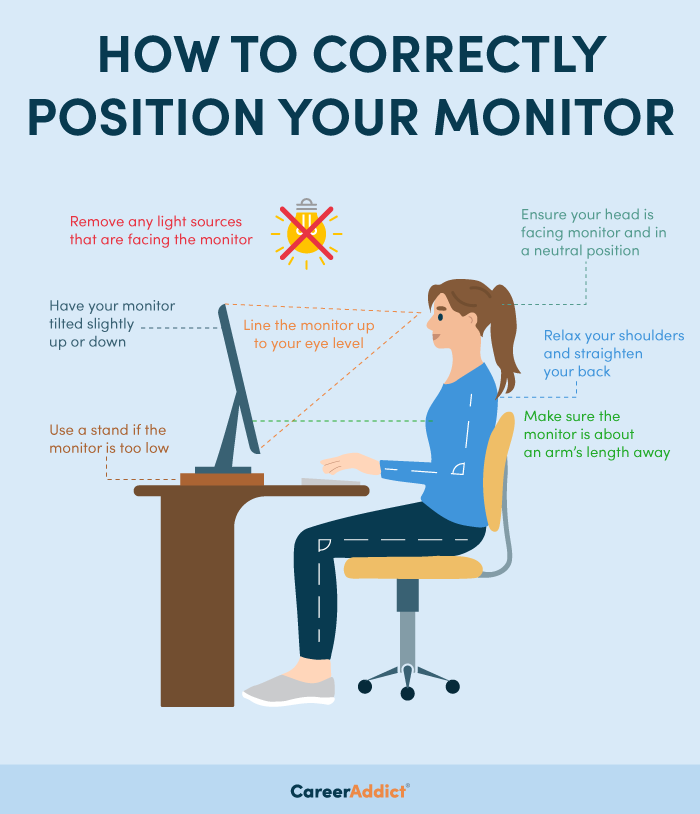
Many people unknowingly create neck strain by placing the monitor too low.
Correct placement:
• top of screen at eye level
• 20–25 inches from your face
• directly in front of you
If you use a laptop, you should use a laptop stand or external monitor. Looking down at a screen for hours causes neck and shoulder tension.
Smart Lighting Reduces Eye Strain
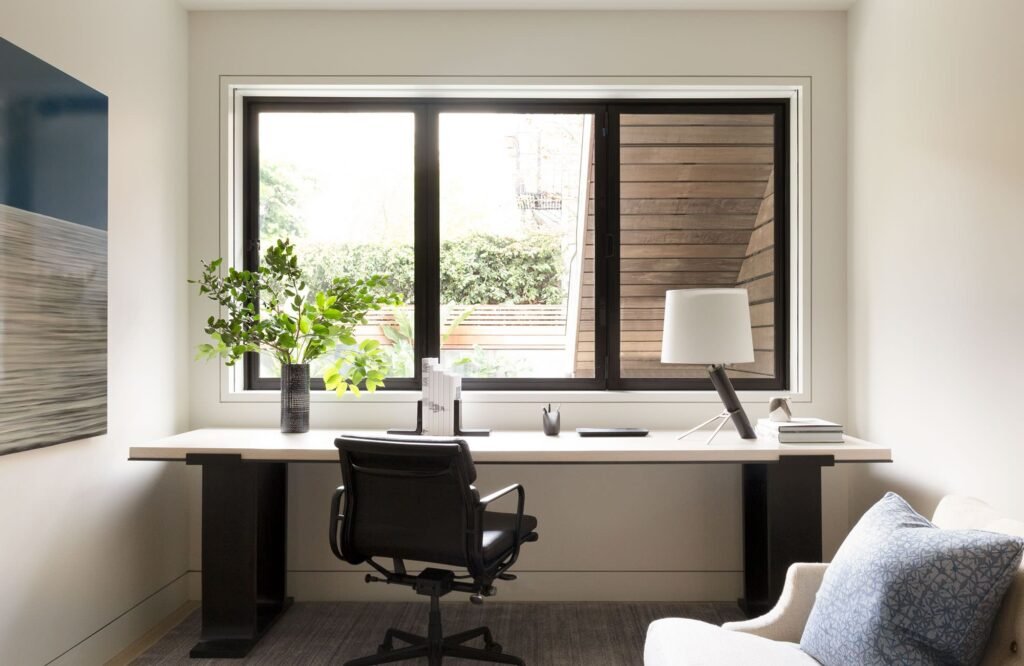
Lighting affects focus more than most people realize.
Poor lighting leads to:
• eye strain
• headaches
• reduced concentration
Use:
• a desk lamp for task lighting
• soft ambient lighting
• natural light when possible
Position your screen so a window is beside you — not directly in front or behind.
Ergonomic Accessories That Make a Big Difference
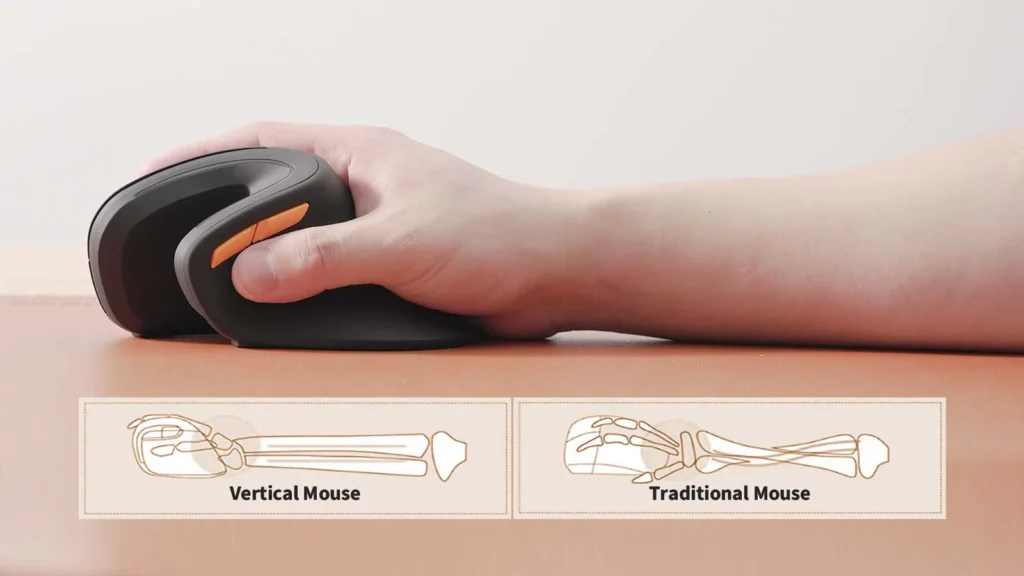
Small accessories often create the biggest comfort improvements.
Helpful additions:
• ergonomic keyboard
• vertical mouse
• wrist rest
• laptop stand
These reduce wrist extension and prevent repetitive strain injuries over time.
Organization Keeps You Focused

Clutter isn’t just visual — it’s cognitive.
An organized workspace:
• reduces mental distraction
• improves efficiency
• shortens task time
Use cable clips, drawer dividers, and document holders to keep your desk clear.
Comfort Add-Ons for Long Workdays
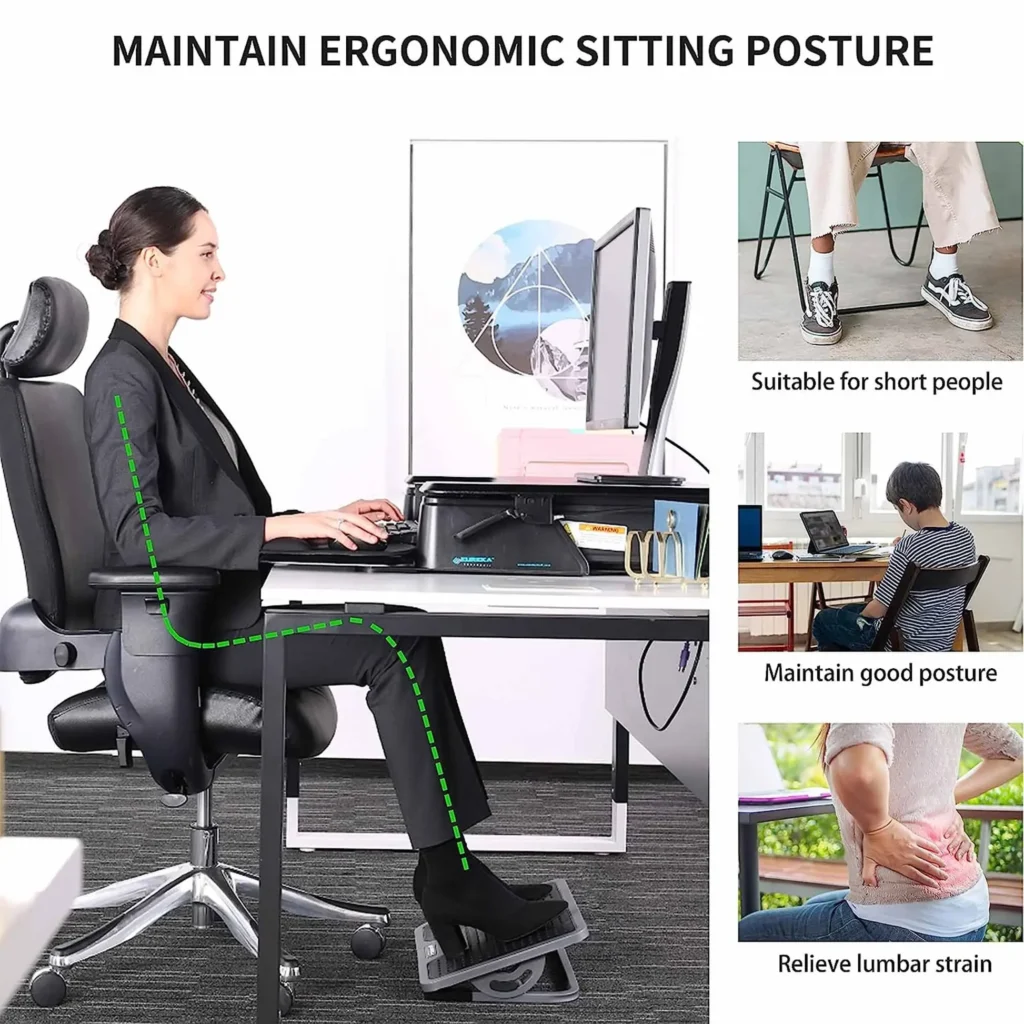
Small additions dramatically improve long sessions.
Consider adding:
• a footrest
• anti-fatigue mat
• wrist cushion
• small desk plant
Even air quality and posture support influence your concentration more than you think.
Conclusion
A productive workspace isn’t expensive — it’s intentional.
When your desk supports your body, your brain works better. You focus longer, experience less fatigue, and finish tasks faster.
Your workspace should help you work, not fight against you.
Even a few adjustments to desk height, monitor position, lighting, and organization can completely change how your workday feels.
DISCLAIMER (PASTE AT BOTTOM)
Affiliate Disclaimer:
MarketPlazaNow.com participates in affiliate programs and may earn a commission from qualifying purchases made through links in this article. This comes at no additional cost to you and helps support the website.
Information Disclaimer:
The information provided in this article is for educational and informational purposes only and should not be considered professional ergonomic or medical advice.