Ever notice your back, neck, or eyes hurting after a few hours at the computer?
Most people assume it’s just part of working from home — but it isn’t.
The real problem is usually not the job.
It’s the workspace setup.
Research has consistently shown that a properly arranged workstation significantly reduces muscle strain, headaches, and fatigue while improving daily productivity. Small adjustments to your desk, monitor height, and lighting can completely change how your body feels after a workday.
This guide will show you exactly how to position your desk, monitor, and lighting so your home office supports your body instead of working against it.
Key Takeaways
- Monitor height directly affects neck and shoulder pain
- Desk positioning prevents wrist and lower-back strain
- Proper lighting reduces eye fatigue and headaches
- Sitting posture matters more than chair price
- Small adjustments make the biggest long-term difference
Common Home Office Ergonomic Problems

common home office ergonomic problems poor posture and screen glare
Most home office discomfort comes from a few simple mistakes:
- Looking down at a laptop (neck strain)
- Desk too high or too low
- Monitor off to the side
- Poor lighting causing glare
- Unsupported lower back
Laptop use is the #1 cause. When the screen sits too low, your neck bends forward for hours. This creates tension headaches and upper-back pain.
Bad lighting is the second biggest issue. Screen glare forces your eyes to constantly refocus, which leads to eye strain and mental fatigue.
Choosing the Right Desk
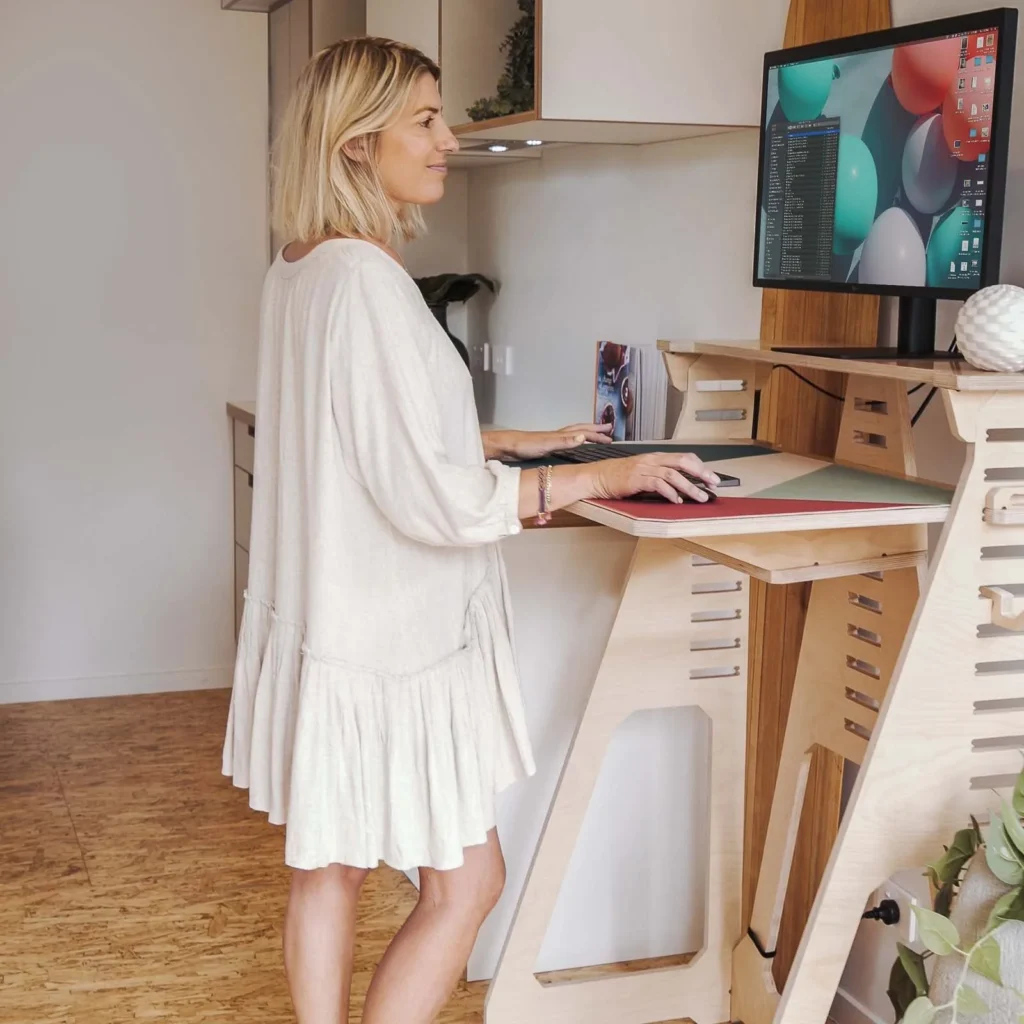
types of ergonomic desks sit stand and fixed height desks
Your desk should allow:
- elbows bent about 90 degrees
- wrists straight while typing
- shoulders relaxed
Fixed Height Desk
Works well if paired with correct chair height.
Sit-Stand Desk
Allows switching positions during the day and helps reduce lower back pressure.
Sit-stand desks allow you to change positions throughout the day, which helps reduce lower-back pressure and stiffness from long sitting sessions. If you’re not sure whether you need a full standing desk or a converter, you can read our full comparison in our standing desk vs desk converter guide.
Proper Monitor Height (Most Important Step)
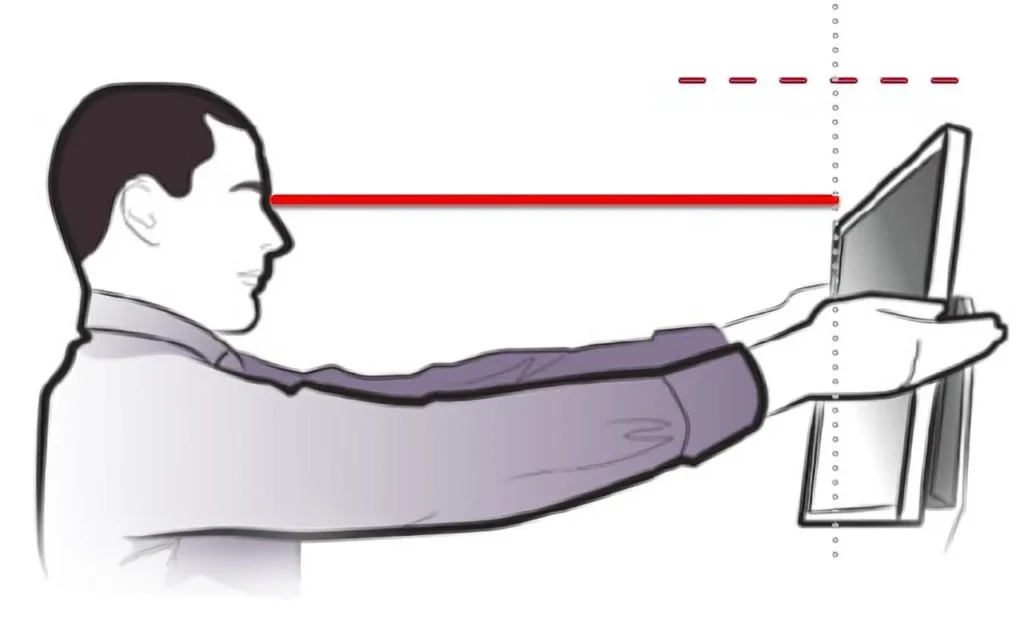
correct monitor height eye level ergonomic setup
Sitting position matters just as much as monitor height. If you’re unsure about posture, read our how to sit properly at a desk guide.
Your monitor should be:
- top of screen at eye level
- about an arm’s length away
- centered in front of you
If you use a laptop, raise it and use an external keyboard.
This single fix eliminates most neck pain from remote work.
Lighting for Eye Comfort
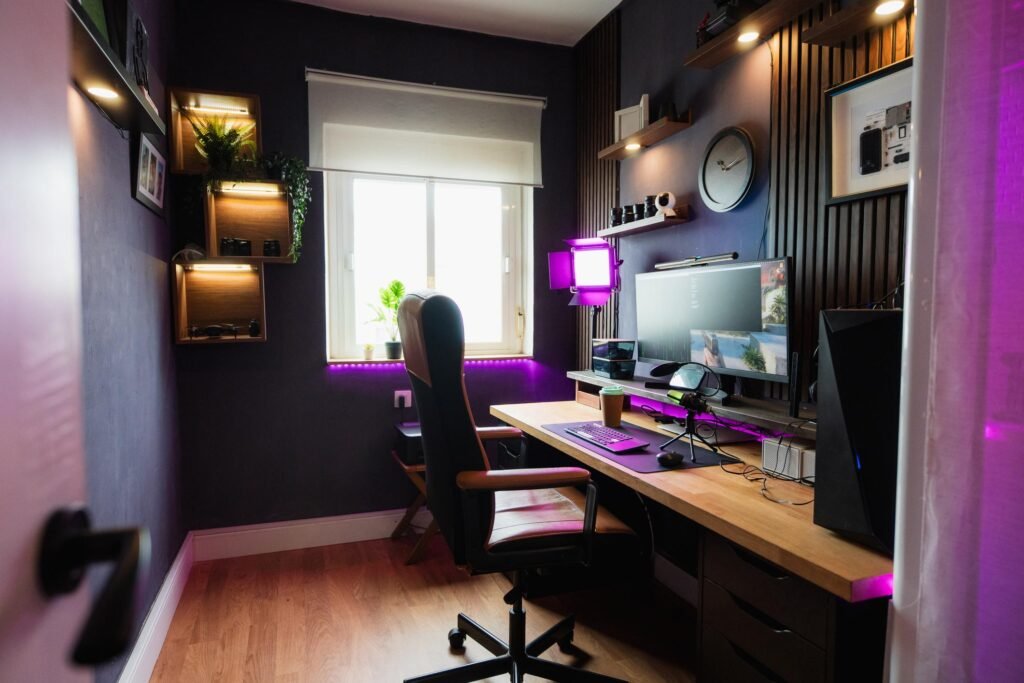
home office desk lamp lighting setup reducing eye strain
Eye strain usually comes from contrast, not the screen.
You want:
- soft room lighting
- a desk lamp beside the monitor
- monitor facing sideways to windows (not toward or away)
Proper lighting placement often improves comfort more than upgrading your monitor. For a full walkthrough, see our best desk lighting for a home office guide.
The Ergonomic Triangle (The Secret)
Your workspace should form a triangle:
Desk → Monitor → Lighting
When these three are balanced:
- posture improves
- headaches decrease
- productivity increases
This is why random accessories rarely fix discomfort — alignment matters more than equipment price.
Budget vs Premium Setup
You do NOT need expensive furniture.
Budget improvements that work:
- monitor riser
- external keyboard
- adjustable desk lamp
- lumbar pillow
Premium upgrades simply make adjustments easier — they aren’t required.
Conclusion
You don’t need a new job or a new house to feel better while working.
You need a better setup.
Start with one fix today:
Raise your monitor to eye level.
That single change alone often removes neck pain within days. Then improve lighting and desk height step by step. Over time, your workspace becomes a place that supports your health instead of draining it.
Disclaimer:
This article may contain affiliate links. If you purchase through these links, we may earn a small commission at no additional cost to you. This helps support the website and allows us to continue providing helpful content. We only recommend products we believe provide value.