Ever felt your neck stiffen after hours at the computer? Ignoring those early signs can slowly turn into chronic back pain, headaches, and eye fatigue.
Most people blame the computer screen — but the real problem is usually the workspace setup.
An ergonomic home office is not just about comfort. It protects your spine, prevents repetitive injuries, and keeps your energy levels stable throughout the day.
This guide will show you exactly how to design a workspace that supports your body instead of damaging it.
When your body feels better, your focus improves. And when your focus improves, your productivity follows.
Key Takeaways
- Proper chair height prevents spinal compression
- Correct monitor placement reduces eye strain
- Keyboard positioning protects wrists
- Lighting prevents headaches and fatigue
- Small daily adjustments prevent long-term injuries
Understanding the Real Cost of Poor Ergonomics
Poor home office ergonomics affects more than comfort — it directly affects long-term health.
Common problems caused by bad setups include:
• Lower back pain
• Neck stiffness
• Eye strain
• Wrist numbness
• Shoulder tension
• Headaches
Ignoring these warning signs often leads to repetitive strain injuries and chronic inflammation.
Common Physical Problems
| Health Issue | Cause | Prevention |
|---|---|---|
| Back pain | Bad chair support | Lumbar support chair |
| Eye strain | Monitor too high/low | Eye-level monitor |
| Wrist pain | Keyboard too high | Neutral wrist position |
Long-Term Effects
Sitting improperly for years increases risk of:
- Disc compression
- Nerve irritation
- Chronic migraines
- Carpal tunnel syndrome
Your workspace either slowly heals your body — or slowly damages it.
The Five Essential Ergonomic Components
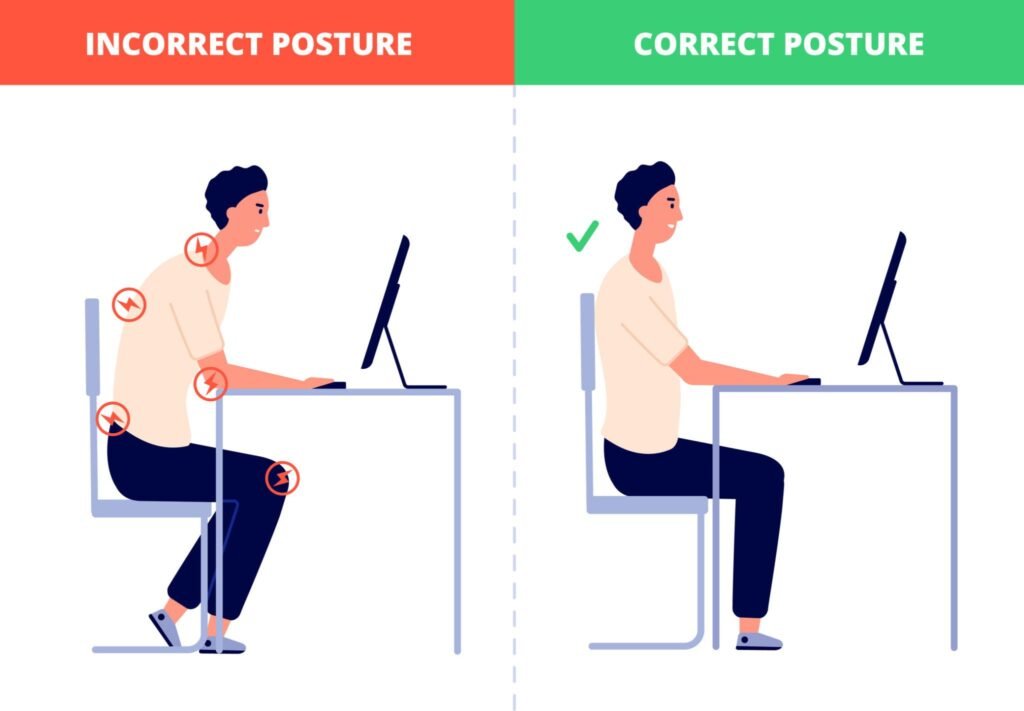
A healthy workspace needs five core pieces:
1. Ergonomic Chair
Supports spine and keeps hips aligned.
2. Desk Height
Allows elbows at a 90-degree angle.
3. Monitor Position
Top of monitor at eye level.
4. Lighting
Prevents squinting and eye fatigue.
5. Accessories
Keyboard, mouse, and foot support tools.
Choosing an Ergonomic Office Chair
A good chair is the most important purchase in your office.
Required Features
- Adjustable seat height
- Lumbar support
- Adjustable armrests
- Recline tilt
- Breathable backrest
Proper sitting position:
- Feet flat on floor
- Knees slightly below hips
- Back fully supported
Desk Selection & Monitor Position
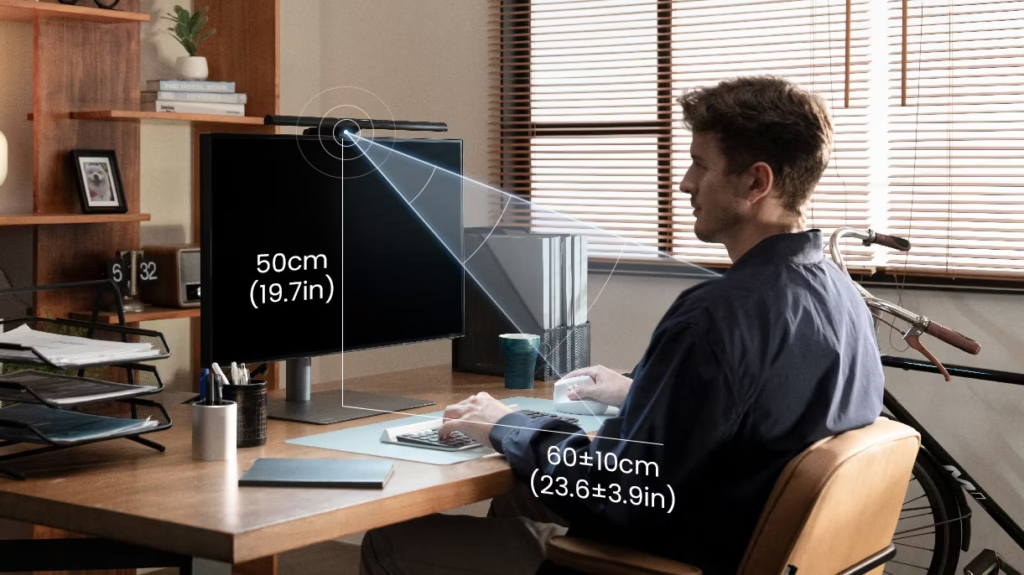
Correct Monitor Setup
- 20–30 inches from eyes
- Centered in front of you
- Slight downward viewing angle
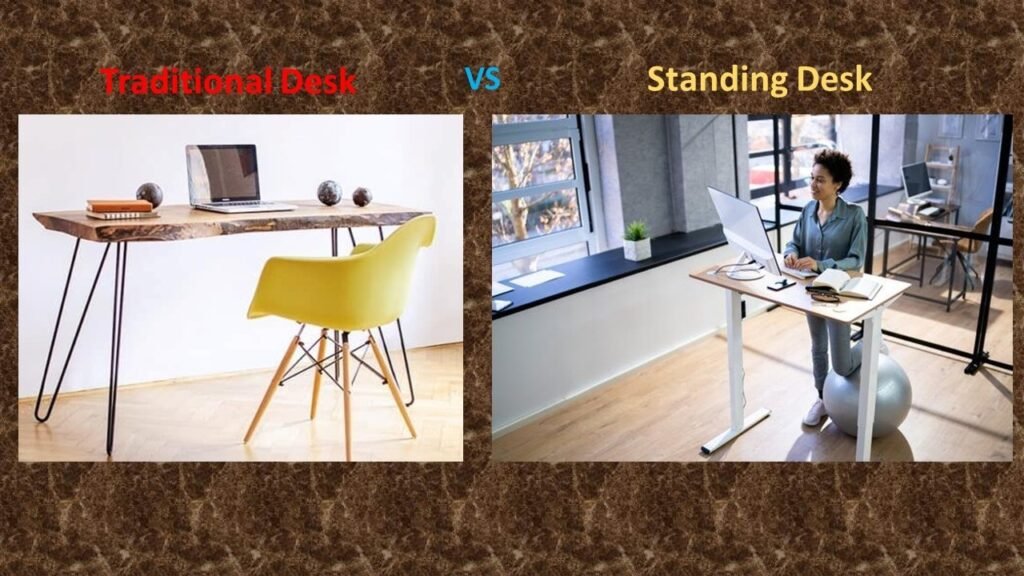
Standing vs Sitting
Best solution: alternate both every 30–60 minutes.
Lighting to Prevent Eye Strain
Eye strain is usually caused by contrast imbalance, not screens.
Correct lighting rules:
- Window beside you (not behind monitor)
- Soft task lamp
- No overhead glare
- Match monitor brightness to room light
INTERNAL LINK (VERY IMPORTANT — DO NOT SKIP)
Inside this lighting section add this sentence:
Essential Accessories
Helpful additions:
- Wrist rest
- Footrest
- Document holder
- External keyboard
These small tools prevent long-term injuries.
Healthy Work Habits
Even a perfect desk cannot fix sitting all day.
Follow the 20-20-20 Rule:
Every 20 minutes → look 20 feet away → for 20 seconds.
Also:
- Stand every hour
- Stretch shoulders
- Walk for 2–3 minutes
Conclusion
A properly designed home office is one of the highest-impact health decisions you can make as a remote worker.
Small adjustments to your chair, monitor, and lighting dramatically reduce pain, headaches, and fatigue.
When your body feels supported, your concentration improves and work becomes easier.
Investing in ergonomics is not about luxury — it is preventative healthcare.
Disclaimer:
MarketPlazaNow.com participates in affiliate programs including Amazon Associates and may earn a commission from qualifying purchases at no additional cost to you. The information in this article is for educational purposes only and is not medical advice. Always consult a qualified professional regarding persistent pain or medical concerns.