Does your back feel like it’s aging twice as fast as the rest of your body? Many professionals accept daily aches as a normal part of office life. But what if the problem isn’t your chair or your workload?
Learning how to sit properly at a desk can dramatically improve your comfort, focus, and long-term health. Small adjustments to posture, monitor height, and desk layout can prevent neck strain, lower back pain, and fatigue.
Instead of pushing through discomfort every day, you can create a workspace that supports your body. This simple ergonomic setup guide will show you how to sit correctly and build a healthier workstation.
Key Takeaways
- Align your spine to reduce pressure on lower vertebral discs
- Position your monitor at eye level to prevent neck strain
- Maintain 90-degree angles at elbows and knees
- Use a chair with lumbar support to support the natural spine curve
- Keep feet flat on the floor or use a footrest
- Take short movement breaks every 30–60 minutes
Understanding the Fundamentals of Ergonomic Sitting
Ergonomic sitting means positioning your body in a way that reduces strain on muscles and joints. When your workspace supports your posture properly, you stay comfortable and productive for longer periods.
Good posture distributes your weight evenly across the spine and prevents unnecessary pressure on muscles.
The 90-90-90 Rule: Angles That Matter
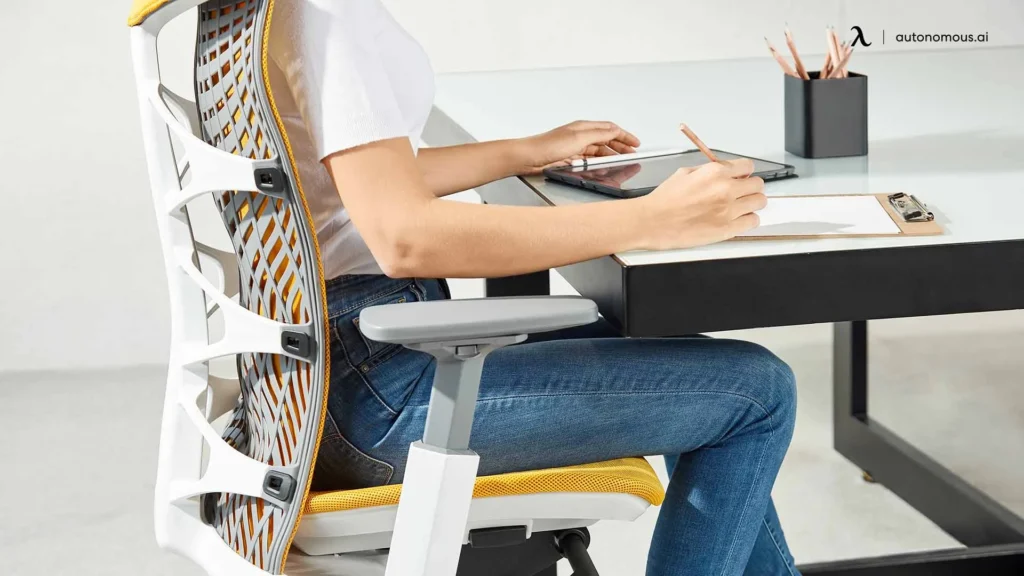
90-90-90 ergonomic sitting position showing correct elbow, knee, and hip angles at a desk
One of the simplest ergonomic guidelines is the 90-90-90 rule. This posture keeps your body aligned and reduces stress on joints.
Hips, Knees, and Elbows at Right Angles
Your posture should follow these simple angles:
- Hips at about 90 degrees
- Knees at 90 degrees
- Elbows at 90 degrees
Your feet should rest flat on the floor or on a footrest.
This setup helps distribute weight evenly and prevents pressure on the spine.
Maintaining the Natural Curve of Your Spine
Your spine naturally forms an S-curve. Supporting that curve is essential for preventing back pain.
To maintain proper spinal alignment:
- Sit with your lower back supported
- Avoid leaning forward toward the screen
- Keep shoulders relaxed
A chair with lumbar support helps maintain this natural curve throughout the day.
Why Poor Desk Posture Causes Pain
Poor posture often leads to:
- Lower back pain
- Neck tension
- Shoulder tightness
- Headaches
- Fatigue
When your posture is misaligned, muscles must work harder to support your body. Over time this causes discomfort and reduced productivity.
Correcting posture improves both physical comfort and mental focus.
Essential Ergonomic Equipment for Desk Comfort
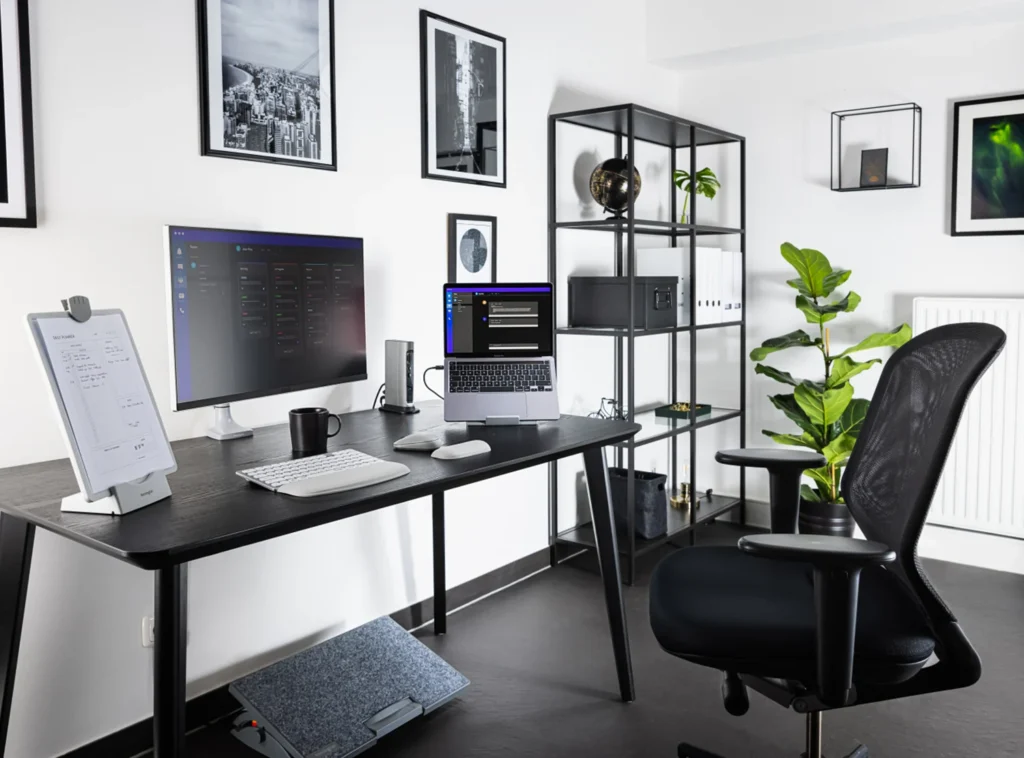
Modern ergonomic workspace setup with adjustable chair monitor stand and keyboard
Creating a comfortable workspace often requires a few key ergonomic tools.
Ergonomic Office Chairs
Ergonomic chairs are designed to support spinal alignment.
Important features include:
- Adjustable seat height
- Lumbar support
- Adjustable armrests
- Seat depth adjustment
These features help support your body during long work sessions.
Monitor Arms or Adjustable Stands
Monitor placement plays a huge role in posture.
Your screen should be:
- About an arm’s length away
- Positioned at or slightly below eye level
Monitor arms make it easy to adjust height and distance.
Ergonomic Keyboards and Vertical Mice
For a complete breakdown of improving your workspace posture, you can also read our guide on best posture for working at a desk.
These tools help keep wrists in a neutral position, reducing strain.
Common ergonomic keyboard features:
- Split or curved design
- Adjustable tilt
- Wrist support
Vertical mice also reduce pressure on the wrist.
Footrests and Under-Desk Support
If your feet do not comfortably reach the floor, a footrest can help maintain correct posture.
Benefits include:
- Reduced leg pressure
- Better circulation
- Improved posture alignment
How to Sit Properly at a Desk: Step-by-Step Setup
Step 1: Adjust Chair Height
Your chair height should allow:
- Feet flat on the floor
- Knees level with or slightly below hips
- Thighs parallel to the floor
Your arms should comfortably reach the desk without raising your shoulders.
Step 2: Position Your Monitor Correctly
Place your monitor:
- Directly in front of you
- 20–40 inches from your face
- At eye level or slightly below
This prevents neck strain and forward head posture.
Step 3: Place Keyboard and Mouse Correctly
Keep your keyboard and mouse:
- Close to your body
- At elbow height
- Positioned so wrists remain straight
Avoid reaching forward to type.
Step 4: Support Your Back and Feet
Good posture requires full support.
Make sure to:
- Sit with your back against the chair
- Use lumbar support
- Keep feet flat on the floor
If necessary, add a footrest.
Key Features to Look for in Ergonomic Equipment
When building an ergonomic workstation, focus on these features.
Adjustable Armrests
Armrests should move:
- Up and down
- Side to side
- Forward and backward
This helps reduce shoulder tension.
Breathable Materials
Chairs with breathable mesh or fabric keep you comfortable during long work sessions.
They improve airflow and reduce heat buildup.
Stability and Weight Capacity
Always choose equipment designed to support your weight and provide stable support throughout the day.
Benefits of an Ergonomic Workspace
A properly designed workspace offers many benefits.
Reduced Back and Neck Pain
Better posture decreases pressure on muscles and joints.
Increased Productivity
Comfort allows you to focus longer and work more efficiently.
Improved Energy Levels
Good posture improves breathing and circulation.
Potential Drawbacks
While ergonomic equipment offers many benefits, there are a few considerations.
Initial Investment
Quality ergonomic equipment may cost more initially.
However, it often prevents costly health issues later.
Adjustment Period
Your body may need time to adjust to new posture habits.
Within a few weeks, most people feel significantly more comfortable.
Smart Buying Tips
If you are building your workspace gradually, prioritize these items first:
- Ergonomic chair
- Monitor stand or arm
- Ergonomic keyboard and mouse
Additional upgrades like footrests or standing desks can come later.
For more ways to improve your workspace comfort and productivity, check out our guide on desk setup ideas for productivity.
Conclusion
Learning how to sit properly at a desk can make a huge difference in your daily comfort and productivity.
A few simple adjustments to your chair, monitor, and keyboard placement can reduce pain and improve focus throughout the day.
Remember that movement is also important. Even with perfect posture, standing and stretching regularly helps prevent stiffness and fatigue.
By building an ergonomic workspace that supports your body, you can work comfortably while protecting your long-term health.
MarketPlazaNow.com participates in affiliate programs and may earn a commission from qualifying purchases. This content is for informational purposes only.