Is your workspace quietly draining your energy and causing daily discomfort?
Many professionals assume their chair or desk is good enough for long workdays. But even small ergonomic mistakes can slowly cause neck pain, eye strain, and reduced productivity.
A properly designed ergonomic workspace helps your body stay comfortable while improving focus and work efficiency.
By optimizing your desk setup, you transform a simple workstation into a highly productive environment designed for long-term comfort.
Key Takeaways
• Proper monitor height reduces neck strain
• Correct keyboard placement prevents wrist pain
• Balanced lighting improves focus and eye comfort
• Standing breaks improve circulation
• Adjustable furniture supports better posture
Why Ergonomics Matters for Home Office Productivity
A poorly designed workspace can cause serious health problems over time. Many remote workers experience:
- Neck tension
- Lower back pain
- Wrist discomfort
- Eye strain
- Reduced concentration
A properly designed ergonomic setup improves comfort while reducing fatigue during long work sessions.
If you experience back pain from long work hours, you may also want to learn how to sit without lower back pain while working at a desk.
Choosing the Right Desk Height
Your desk height plays a major role in maintaining good posture.
Here are general ergonomic desk height recommendations:
| User Height | Desk Height |
|---|---|
| Under 5’2 | 28-29 inches |
| 5’2 – 5’8 | 29-30 inches |
| Over 5’8 | 30-31 inches |
Your elbows should remain at roughly 90 degrees when typing, while shoulders stay relaxed.
Standing Desks vs Sitting Desks
Standing desks are popular because they help reduce the health risks associated with sitting all day.
Benefits include:
• Improved circulation
• Reduced back pressure
• Higher daily energy levels
• Better posture support
However, sitting desks are still ideal for tasks requiring precision work.
Many professionals choose adjustable standing desks so they can alternate positions throughout the day.
Monitor Placement for Maximum Comfort
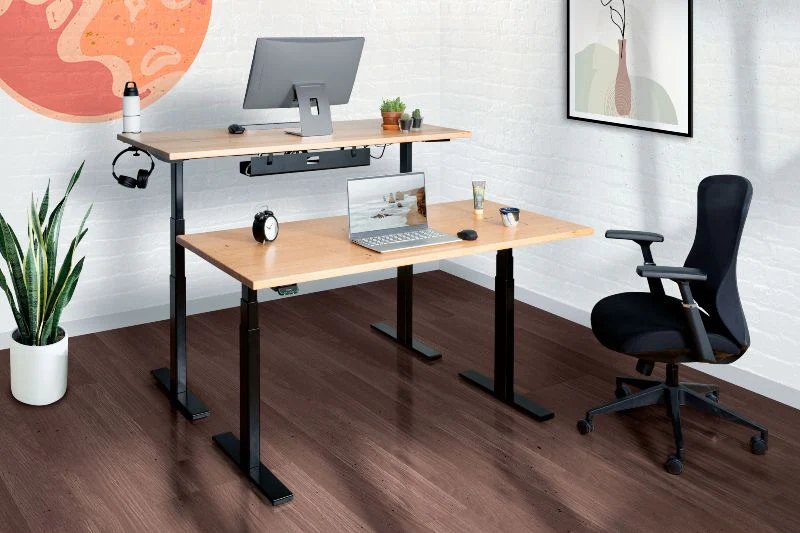
Correct monitor positioning helps reduce eye strain and neck pain.
For best results:
• Monitor should be 20-25 inches from your eyes
• Top of screen should be at eye level
• Tilt screen 10-20 degrees backward
If you use dual monitors, position your primary screen directly in front of you and the second slightly angled.
To reduce eye strain during long sessions, follow the 20-20-20 rule.
Every 20 minutes, look at something 20 feet away for 20 seconds.
Lighting also plays a role in visual comfort. Understanding how to reduce eye strain while working at a desk can significantly improve productivity.
Keyboard and Mouse Positioning
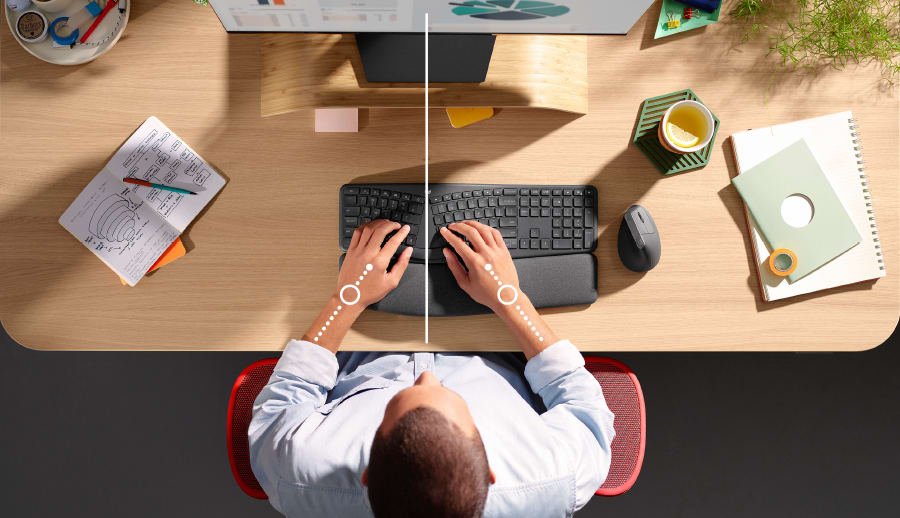
Proper keyboard placement helps prevent repetitive strain injuries.
Best practices include:
• Keep keyboard centered with your body
• Maintain straight wrists
• Keep elbows close to your sides
• Place mouse close to keyboard
Ergonomic accessories such as split keyboards or vertical mice can significantly reduce wrist strain.
Lighting Your Workspace to Reduce Eye Strain
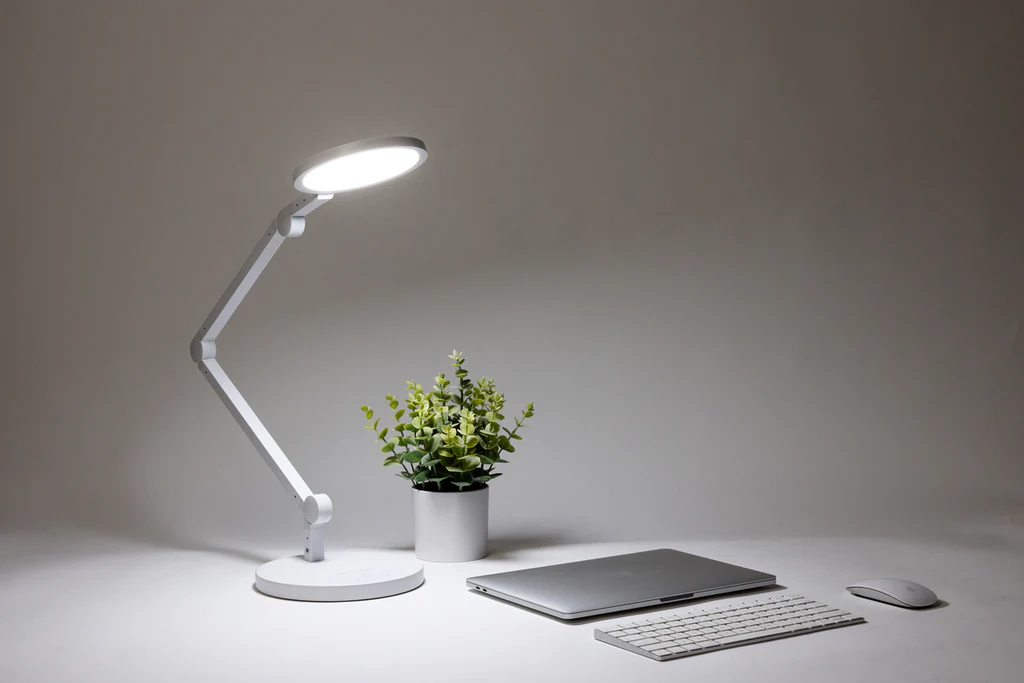
Lighting has a major impact on focus and comfort.
For optimal lighting:
• Place desk near natural light when possible
• Use adjustable LED desk lamps
• Avoid glare on your monitor
• Use neutral white lighting (4000K-5000K)
If you want a full workspace upgrade, our guide on the best desk setup for productivity and comfortexplains how to build the ideal workstation.
Maintaining Proper Posture During the Workday
Even the best desk setup requires healthy work habits.
Follow these posture tips:
• Keep feet flat on the floor
• Maintain a straight back with lumbar support
• Relax your shoulders
• Take movement breaks every 30–60 minutes
Stretching and short walks help reduce stiffness and improve circulation.
Essential Desk Accessories for Productivity
Helpful ergonomic accessories include:
• Ergonomic office chair with lumbar support
• Monitor arm or monitor stand
• Cable management clips
• Document holders
• Anti-fatigue standing mats
These small additions help keep your workspace comfortable and organized.
Conclusion
A properly designed ergonomic desk setup dramatically improves comfort, focus, and productivity.
By adjusting desk height, monitor placement, lighting, and posture habits, you create a workspace that supports both performance and long-term health.
Small improvements today can lead to better energy, fewer aches, and higher productivity every day.
Disclaimer
This article is for informational purposes only and should not be considered medical or professional advice. Always consult a qualified healthcare professional or ergonomics specialist regarding posture, workplace health, or pain management.