Have you ever finished a work-from-home day feeling exhausted… even though you barely moved?
That isn’t mental burnout.
It’s physical fatigue your brain interprets as mental tiredness.
Most people assume they need more sleep, more caffeine, or better motivation. But the real cause is usually your workspace. A poorly arranged desk forces your body to work all day to keep you upright and focused.
Your muscles stay tense for hours. Your eyes strain to focus. Your neck holds weight it was never designed to support.
The result?
You feel drained — even after a “sit-down job.”
The good news: you don’t need a new office or expensive remodel. Small ergonomic changes can dramatically increase daily energy and concentration.
Key Takeaways
• Monitor height controls neck and brain fatigue
• Bad lighting causes hidden eye exhaustion
• Poor chairs drain physical energy
• Ergonomic positioning improves productivity
• Small layout fixes make the biggest difference
The Hidden Culprits Behind Home Office Fatigue
Many remote workers think working at home should feel easier. Instead, they feel more tired than when they worked outside the house.
That’s because the body treats poor posture as physical labor.
Bad desk setups commonly cause:
• neck tension
• eye strain
• headaches
• shoulder tightness
• lower back pain
• mental fog
Your brain spends the entire day compensating for physical stress.
Poor Monitor Positioning and Eye Strain
Your monitor is the #1 cause of work-from-home fatigue.
If your screen sits too low, you lean forward.
If it sits too high, you lift your chin.
Both force your neck muscles to stay active all day — and your brain interprets muscle fatigue as tiredness.
Your screen should be:
• directly in front of you
• about an arm’s length away (20–25 inches)
• slightly below eye level

The 20-Degree Rule (Most People Don’t Know This)
You should naturally look down about 20 degrees at your monitor.
Why?
Because your eyes and neck are relaxed when looking slightly downward. Looking straight ahead or up forces muscle engagement for hours.
This single adjustment often fixes:
• afternoon crashes
• tension headaches
• blurry vision
• focus problems
Inadequate Lighting Creates Hidden Exhaustion
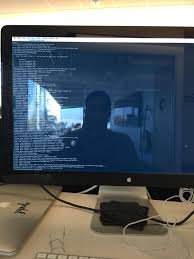
Lighting is the second biggest fatigue trigger.
Your eyes constantly refocus when lighting is poor. That drains mental energy faster than physical activity.
Your desk should never face:
• a window directly
• a light directly behind the screen
• a dark wall with a bright monitor
Instead, use soft side lighting and a desk lamp.
Uncomfortable Chairs Drain Energy
A bad chair doesn’t just hurt your back.
It forces your core muscles to stabilize you all day. Your body is literally exercising while you work.
That constant muscle activity is why you feel tired at 3 PM.
An ergonomic chair with lumbar support keeps your spine neutral so your brain can focus on thinking — not posture.
The Simple Fix: Monitor Stands and Risers
The easiest fatigue fix is raising your monitor.
A monitor stand or riser immediately:
• reduces neck tension
• improves posture
• reduces headaches
• increases focus
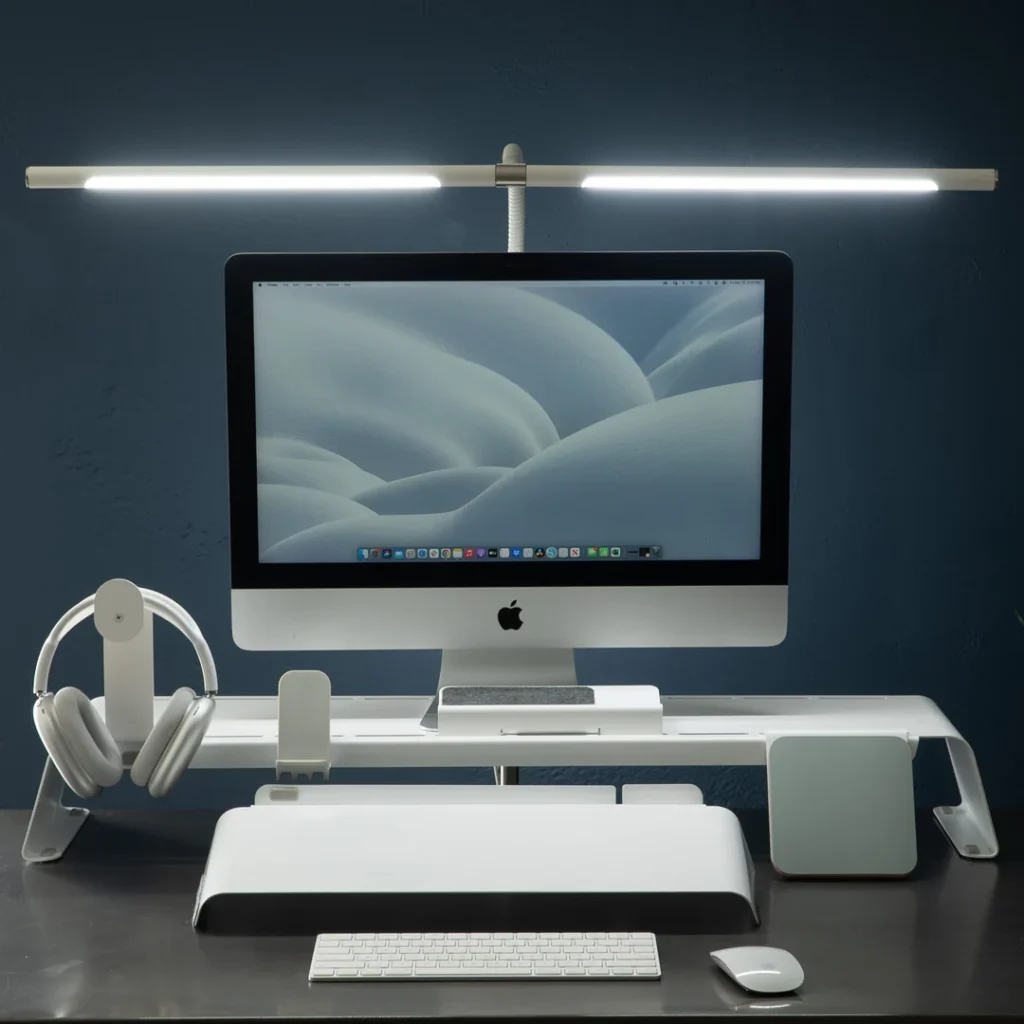
Supporting Equipment That Completes the Setup
A fatigue-free workspace uses several pieces working together:
Ergonomic Chair
Provides lumbar support and prevents muscle strain.
Desk Lamp
Reduces eye fatigue and improves concentration.
Keyboard Tray or Wrist Rest
Keeps wrists neutral and prevents hand tension.
Footrest
Improves circulation and posture.
What to Look for When Buying Ergonomic Equipment
Choose products that have:
• height adjustability
• stable base
• weight capacity for your monitor
• cable management
• compatibility with your desk
Cheap ergonomic equipment can still work well — positioning matters more than price.
Pros and Cons of Ergonomic Upgrades
Benefits
• higher energy
• better concentration
• less pain
• improved productivity
Drawbacks
• initial adjustment period
• upfront cost
Most people notice improvement within 2–5 days.
Conclusion
Your home office isn’t just a workspace.
It’s a physical environment your body lives in for 8+ hours daily.
When your monitor, lighting, and posture fight your body, your brain burns energy trying to compensate. That’s why you feel tired even after sitting all day.
The fix is not motivation.
The fix is positioning.
Small ergonomic changes — especially monitor height and lighting — can dramatically increase daily energy, focus, and comfort.
Once your body stops working to hold itself together, your brain finally has energy to do real work.
After this sentence in the article:
“An ergonomic chair with lumbar support keeps your spine neutral so your brain can focus on thinking — not posture.”
Read our full guide explaining the differences in desk options here:
👉 standing desk vs desk converter
Affiliate Disclaimer:
MarketPlazaNow.com participates in affiliate programs and may earn a commission from qualifying purchases. This content is for informational and educational purposes only and is not medical advice.