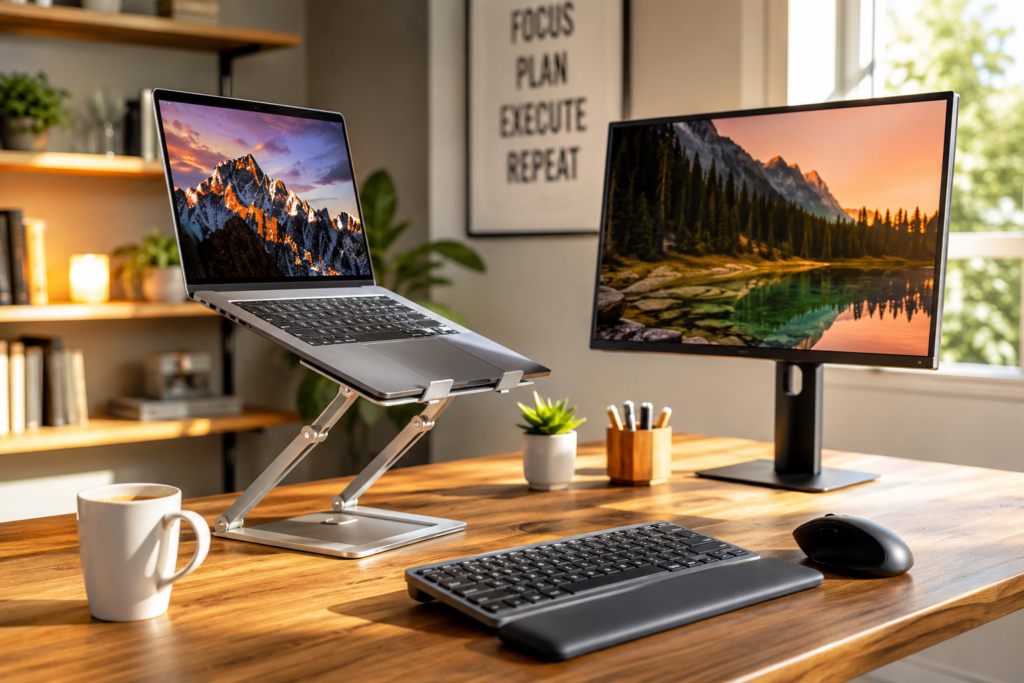
Discover the best laptop stands for improving posture, reducing neck strain, and creating a more comfortable home office. Compare five top-rated adjustable laptop stands to help create a healthier workspace.
Working from home has changed the way many of us spend our days. While laptops make it easy to work from almost anywhere, using one for several hours at a time often encourages poor posture. Looking downward at a laptop screen can place unnecessary stress on your neck, shoulders, and upper back, leaving you feeling stiff and uncomfortable before the workday is over.
Fortunately, improving your workspace doesn’t have to be expensive. One of the simplest upgrades you can make is adding a quality laptop stand. By raising your screen closer to eye level, a laptop stand encourages a more natural sitting position while helping create a cleaner and more organized desk.
Whether you’re working full-time from home, attending virtual meetings, taking online classes, or simply browsing the web each day, choosing the right laptop stand can make your workstation more comfortable and productive.
In this guide, we’ll look at five highly rated laptop stands, explain the features that matter most, and help you choose one that fits both your workspace and your budget.
Why Consider a Laptop Stand?
Many people underestimate how much time they spend looking down at their laptop each day. Even small posture issues repeated over months or years may contribute to discomfort.
A laptop stand helps by:
- Raising the screen closer to eye level
- Encouraging better sitting posture
- Reducing neck and shoulder strain
- Improving airflow underneath your laptop
- Creating additional desk space
- Making video meetings look more professional
- Pairing perfectly with an external keyboard and ergonomic mouse
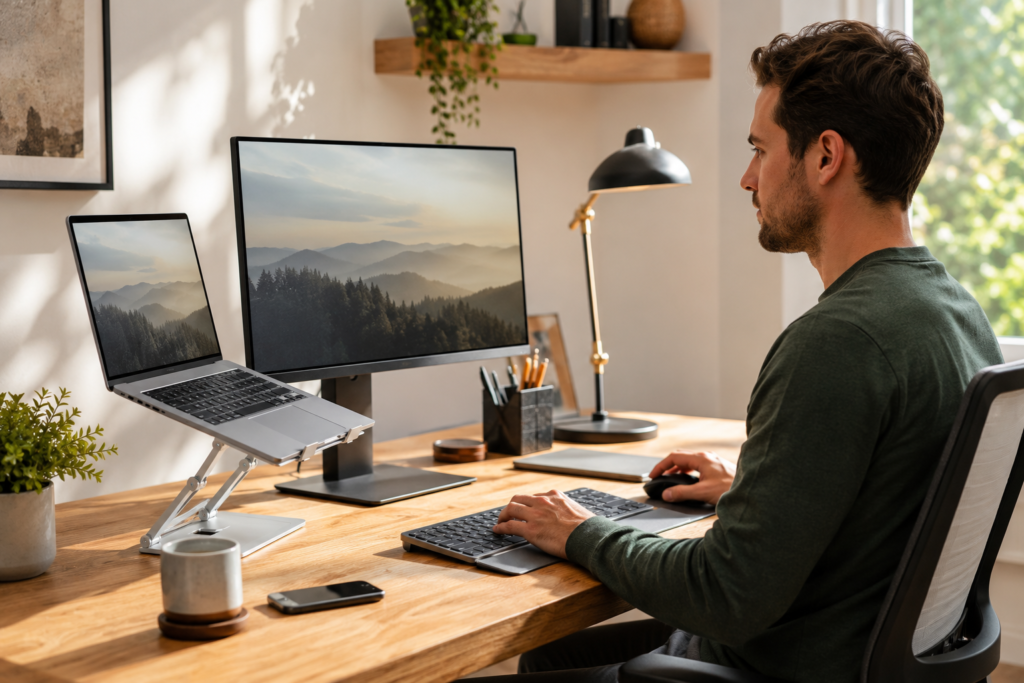
An adjustable laptop stand paired with an ergonomic keyboard and mouse can help create a more comfortable and organized work-from-home setup.
What to Look for Before Buying
- Adjustable height
- Stability
- Build quality
- Portability
- Cooling
If you’re already upgrading your home office, you may also find these guides helpful:
Best Ergonomic Mouse for Comfort and Productivity
Best USB-C Dock for Multiple Monitors
Both accessories work exceptionally well alongside an adjustable laptop stand to create a more efficient workstation.
What to Look for Before Buying
Not every laptop stand is built the same. Before making your purchase, consider the following features.
Adjustable Height
Being able to raise and lower your laptop helps position your screen at a comfortable viewing angle throughout the day.
Stability
A stable stand prevents wobbling while typing and supports larger laptops without shifting.
Build Quality
Aluminum laptop stands are popular because they’re durable, lightweight, and help dissipate heat.
Portability
If you frequently work from different locations, consider a foldable design that’s easy to carry.
Cooling
An open-frame design allows better airflow underneath your laptop, helping reduce heat buildup during extended use.
Our Top Picks
1. Rain Design mStand
The Rain Design mStand has remained one of the most respected laptop stands on the market for years. Its solid aluminum construction provides excellent stability while elevating your laptop to a more ergonomic viewing height. The clean, minimalist design blends well into almost any office environment and offers improved airflow underneath your device.
This stand is especially popular among professionals who use their laptops as part of a permanent desk setup alongside an external monitor, keyboard, and mouse.
Highlights
- Premium aluminum construction
- Excellent stability
- Improves airflow
- Elegant minimalist appearance
- Cable management opening
Best For
Professionals looking for a permanent home office setup with premium build quality.
👉 Check Today’s Price on Amazon
Related Reading:
Best Monitor Light Bars for Eye Strain During Long Work Hours
2. Nulaxy Adjustable Laptop Stand
If flexibility is your priority, the Nulaxy Adjustable Laptop Stand is one of the most versatile choices available. Unlike fixed-height stands, this model allows you to adjust both the height and viewing angle, making it easier to create a comfortable workspace whether you’re sitting or occasionally standing.
The sturdy aluminum frame supports most laptops while maintaining excellent stability throughout the workday.
Its foldable design also makes it a great option for people who occasionally move between home, the office, and shared workspaces.
Highlights
- Fully adjustable height
- Adjustable viewing angle
- Strong aluminum construction
- Foldable for travel
- Supports most laptop sizes
Best For
Remote workers looking for maximum flexibility and ergonomic comfort.
👉 Check Today’s Price on Amazon
Continue upgrading your workstation:
Work From Home Comfort Upgrades
3. Soundance Aluminum Laptop Stand
The Soundance Aluminum Laptop Stand proves you don’t need to spend a fortune to improve your workspace. Its sturdy open-frame construction promotes better airflow while lifting your laptop to a more comfortable viewing height.
One reason this stand has become so popular is its simplicity. It assembles quickly, supports a wide range of laptop sizes, and provides excellent stability despite its affordable price.
For users who already own an external keyboard and mouse, the Soundance offers outstanding value.
Highlights
- Excellent value
- Durable aluminum frame
- Simple assembly
- Improved cooling
- Stable design
Best For
Anyone looking for an affordable ergonomic upgrade without sacrificing quality.
👉 Check Today’s Price on Amazon
If you’re planning a complete workstation makeover, don’t miss:
Best Noise-Canceling Headphones for Working From Home
4. Lamicall Adjustable Laptop Stand
The Lamicall Adjustable Laptop Stand is an excellent choice for users who value both flexibility and modern design. Built from durable aluminum alloy, it offers adjustable height and viewing angles, making it easy to customize your workstation throughout the day.
Whether you’re attending virtual meetings, editing documents, or working on creative projects, the Lamicall stand helps position your laptop at a more comfortable eye level. The non-slip silicone pads keep your device secure while protecting it from scratches, and the open design improves airflow to help reduce heat buildup.
Its sleek appearance also blends well with most modern home offices, making it a favorite among professionals and students alike.
Highlights
- Fully adjustable height and angle
- Premium aluminum construction
- Non-slip silicone protection
- Excellent ventilation
- Foldable for easy storage
Pros
- Easy to adjust
- Strong and durable
- Compatible with most laptops
- Attractive modern design
Cons
- Slightly more expensive than fixed stands
- External keyboard recommended for best ergonomics
Best For
Professionals, students, and remote workers who want a flexible workstation that adapts to different working positions.
👉 Check Today’s Price on Amazon
Looking to build a complete ergonomic workspace? Read:
Best Ergonomic Mouse for Wrist Pain and Productivity
5. BESIGN LS03 Laptop Stand
The BESIGN LS03 Laptop Stand has become one of Amazon’s most popular laptop stands thanks to its simple design, sturdy construction, and affordable price. It provides a stable platform while raising your laptop to a more comfortable viewing height, helping reduce neck strain during long work sessions.
Assembly only takes a few minutes, and once it’s set up, the stand remains solid even when supporting larger laptops. Its open-frame construction also allows heat to dissipate more efficiently than placing your laptop directly on a desk.
For anyone creating a productive home office without spending a fortune, the BESIGN LS03 offers excellent value.
Highlights
- Affordable price
- Durable aluminum alloy
- Excellent stability
- Improved airflow
- Quick assembly
Pros
- Budget friendly
- Lightweight
- Supports a wide range of laptops
- Clean minimalist appearance
Cons
- Fixed height
- Less portable than foldable models
Best For
Anyone wanting an affordable and dependable laptop stand for everyday work.
👉 Check Today’s Price on Amazon
You may also enjoy:
Work From Home Comfort Upgrades
Quick Comparison
| Laptop Stand | Best For | Adjustable | Portability |
|---|---|---|---|
| Rain Design mStand | Permanent office setup | No | Moderate |
| Nulaxy Adjustable | Ergonomic flexibility | Yes | Excellent |
| Soundance Aluminum | Budget buyers | No | Moderate |
| Lamicall Adjustable | Professionals & students | Yes | Excellent |
| BESIGN LS03 | Everyday home office | No | Good |
Tips for Setting Up an Ergonomic Workspace
Buying a laptop stand is only one step toward creating a healthier workspace. Consider pairing it with a few additional accessories for maximum comfort.
External Keyboard
Using an external keyboard allows your laptop screen to remain at eye level while keeping your arms and wrists in a more natural position.
Ergonomic Mouse
An ergonomic mouse may help reduce wrist strain during long periods of computer use.
Read our guide:
Best Ergonomic Mouse for Wrist Pain and Productivity
USB-C Docking Station
If you use multiple monitors or frequently connect accessories, a USB-C docking station can simplify your workspace by reducing cable clutter.
Learn more here:
Best USB-C Dock for Multiple Monitors
Monitor Light Bar
Good lighting reduces screen glare and may help minimize eye strain during long work sessions.
Read our guide:
Best Monitor Light Bars for Eye Strain During Long Work Hours
Frequently Asked Questions
Are laptop stands worth buying?
Yes. Raising your laptop screen closer to eye level promotes better posture, reduces neck strain, and creates a more comfortable workspace. Many people find that even a simple laptop stand makes long workdays more enjoyable.
Do laptop stands help keep laptops cooler?
Yes. Most laptop stands improve airflow underneath the device, allowing heat to dissipate more effectively than when the laptop sits directly on a desk.
Should I use an external keyboard?
For the best ergonomic setup, yes. Pairing a laptop stand with an external keyboard and mouse allows you to maintain a comfortable screen height while keeping your hands and wrists in a natural position.
Can I travel with a laptop stand?
Many adjustable laptop stands are foldable and lightweight, making them easy to carry between home, the office, or while traveling.
Which laptop stand is the best overall?
The best choice depends on your needs. If you want premium quality, the Rain Design mStand is an excellent option. For maximum flexibility, the Nulaxy and Lamicall adjustable stands are outstanding choices. Budget-conscious buyers may appreciate the Soundance or BESIGN LS03.
Final Thoughts
Improving your home office doesn’t always require a major investment. A quality laptop stand is one of the easiest ways to create a more comfortable and productive workspace while encouraging better posture throughout the day.
Whether you’re attending virtual meetings, working on spreadsheets, writing reports, or simply browsing the web, positioning your laptop at a better viewing height can help reduce strain and make long work sessions more enjoyable.
Pair your laptop stand with an ergonomic mouse, an external keyboard, and a USB-C docking station, and you’ll have the foundation of a cleaner, more efficient workstation designed to support both comfort and productivity.
Related Articles
Continue building the perfect home office with these helpful guides:
Best Ergonomic Mouse for Wrist Pain and Productivity
Best USB-C Dock for Multiple Monitors
Best Monitor Light Bars for Eye Strain During Long Work Hours
Best Noise-Canceling Headphones for Working From Home
Work From Home Comfort Upgrades
MarketPlazaNow participates in affiliate marketing programs. If you purchase a product through links on this page, we may earn a small commission at no additional cost to you. This helps support our website and allows us to continue creating free buying guides, product comparisons, and helpful resources for our readers.