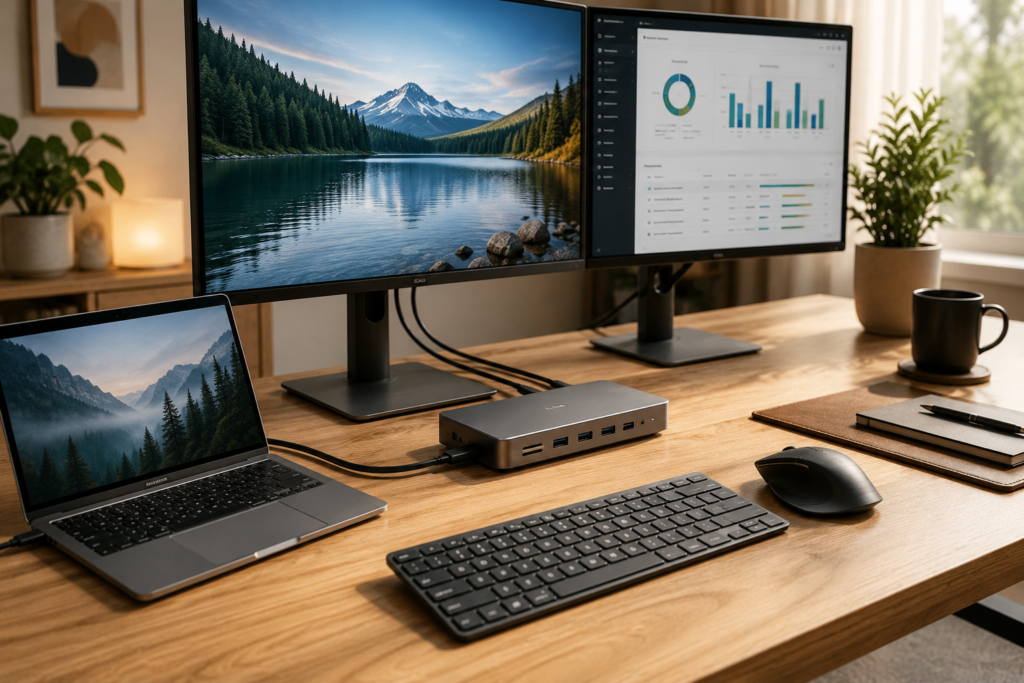
If you use two or three monitors while working, studying, or creating content, a quality USB-C docking station can completely transform your workspace.
Instead of plugging in multiple cables every day, a docking station allows you to connect displays, external drives, keyboards, mice, Ethernet, speakers, and other accessories through a single USB-C cable.
Whether you’re working from home, editing videos, programming, attending meetings, or simply want a cleaner desk setup, choosing the right docking station can save time while improving productivity.
In this guide, we’ll compare some of the best USB-C docks for multiple monitors and explain which features matter most before you buy.
Why Use a USB-C Dock?
Modern laptops continue getting thinner.
Unfortunately, that usually means fewer ports.
A docking station expands your laptop with:
- Multiple HDMI or DisplayPort outputs
- USB-A ports
- USB-C ports
- Gigabit Ethernet
- SD and microSD card readers
- Audio jack
- Fast charging support
Instead of constantly plugging and unplugging accessories, everything stays connected.
One cable instantly connects your entire workstation.
What to Look For Before Buying
Not every docking station supports the same features.
Before choosing one, consider the following.
Number of Displays
Some docks support:
- Dual monitors
- Triple monitors
- 4K displays
- High refresh rates
Always verify your laptop supports multiple external displays.
Charging Power
Many premium docks offer Power Delivery charging.
Look for:
- 65W
- 85W
- 90W
- 100W
This lets you charge your laptop while using all connected accessories.
Available Ports
A quality docking station should include several useful connections:
- HDMI
- DisplayPort
- USB-A
- USB-C
- Ethernet
- SD Card Reader
- Audio Jack
The more flexible the port selection, the longer the dock remains useful.
Build Quality
A good dock should stay cool during heavy use.
Look for:
- Aluminum construction
- Ventilation
- Durable cables
- Stable rubber feet
Best USB-C Docks for Multiple Monitors
1. Plugable Triple Display USB-C Dock
Best for professionals using three monitors.
Pros
- Triple display support
- Reliable performance
- Gigabit Ethernet
- Plenty of USB ports
Best For
Office professionals, remote workers, and business users.
2. Anker Prime Docking Station
Ideal for premium home office setups.
Pros
- High-speed charging
- Excellent build quality
- Multiple display outputs
- Compact design
Best For
MacBook and Windows users wanting a premium workstation.
Check today’s price on Amazon →
3. UGREEN Revodok Docking Station
Excellent value for everyday productivity.
Pros
- Multiple monitor support
- Fast USB ports
- Affordable
- Reliable performance
Best For
Students, remote workers, and home offices.
Check today’s price on Amazon →
4. Kensington SD5700T Thunderbolt Dock
Built for demanding professionals.
Pros
- Extremely fast performance
- Dual 4K displays
- Premium reliability
- Enterprise quality
Best For
Designers, engineers, photographers, and video editors.
Check today’s price on Amazon →
5. Dell Universal Dock
Perfect for mixed office environments.
Pros
- Broad compatibility
- Multiple display support
- Business-grade reliability
- Easy setup
Best For
Corporate offices and hybrid workspaces.
Check today’s price on Amazon →
USB-C Dock vs USB Hub
Although they look similar, they’re designed for different purposes.
USB Hub
- Adds a few extra USB ports
- Usually inexpensive
- Limited display support
- No charging for larger laptops
Docking Station
- Multiple monitor support
- Charges your laptop
- Ethernet connection
- Audio ports
- Card readers
- Better long-term workstation solution
If you use multiple displays every day, a docking station is usually the better investment.
Common Questions
Can a USB-C dock support two monitors?
Yes. Many docking stations easily support dual monitors, while higher-end models can support three or more depending on your laptop.
Do all laptops support multiple monitors?
No. Some laptops limit external display support.
Always check your computer’s specifications before purchasing a docking station.
Will a docking station charge my laptop?
Many premium models include USB Power Delivery ranging from 65W to 100W, allowing one cable to handle both charging and data.
Is Thunderbolt better than USB-C?
Thunderbolt docks generally provide:
- Faster speeds
- Better display support
- Higher charging capacity
However, USB-C docks are often more affordable and perfectly suitable for most users.
Related Articles
- Best USB-C Docking Stations for Dual Monitors
- USB-C Docking Station vs USB Hub: What’s the Difference?
- Best Adjustable Laptop Stands for Better Posture
- Best Ergonomic Mouse for Wrist Pain and Productivity
- Best Ergonomic Seat Cushions for Long Hours at a Desk
Final Thoughts
A quality USB-C docking station makes a noticeable difference in any workspace. With support for multiple monitors, fast charging, and expanded connectivity, it helps reduce cable clutter while improving efficiency.
Whether you’re building a home office or upgrading an existing workstation, choosing a reliable dock can make daily work more comfortable and productive for years to come.
Amazon Affiliate Disclosure
As an Amazon Associate, MarketPlazaNow earns from qualifying purchases. This comes at no additional cost to you and helps support our website.