If you’ve ever finished a work session with tired eyes or a headache, your lighting setup could be part of the problem. Many people focus on monitor height and chair posture but overlook one important factor: desk lamp placement.
The distance between your desk lamp and monitor can make a big difference in how comfortable your workspace feels. When your lighting is positioned correctly, it reduces glare, improves focus, and helps prevent eye strain during long hours at your computer.
The good news is that fixing this problem usually requires only a few small adjustments. Once your lighting is set up properly, your workspace can instantly feel more comfortable and productive.
Key Takeaways
- Keep your desk lamp 18–24 inches away from your monitor
- Position the lamp on the opposite side of your dominant hand
- Aim the light toward your desk surface, not the screen
- Use adjustable lamps for better control over lighting direction
- Combine ambient room lighting with task lighting to reduce eye strain
Why Desk Lamp Placement Matters for Eye Health
Lighting plays a major role in how hard your eyes have to work during the day. When your desk is poorly lit, your eyes constantly adjust between dark areas and bright screens.
Over time, this leads to fatigue, headaches, and difficulty focusing.
The Science of Eye Strain and Poor Lighting
Eye strain, sometimes called Computer Vision Syndrome, happens when your eyes become tired from long periods of screen use combined with poor lighting conditions.
When your workspace is too dim, your pupils expand to let in more light. At the same time, your monitor emits bright light. This constant adjustment forces your eyes to work harder than they should.
Common symptoms include:
- Dry or irritated eyes
- Blurred vision
- Headaches
- Difficulty concentrating
Proper desk lighting helps reduce these issues by balancing the brightness between your screen and your workspace.
How Monitor Glare Develops
Glare happens when light reflects off your monitor directly into your eyes.
This usually occurs when:
- A lamp is placed too close to the monitor
- The light source is aimed directly at the screen
- The lamp is positioned behind you
Even high-quality monitors can cause eye strain if glare is present. Adjusting your desk lamp angle and distance can quickly eliminate this problem.
Benefits of Ergonomic Desk Lighting
An ergonomic lighting setup improves both comfort and productivity.
Benefits include:
- Reduced eye strain during long work sessions
- Better screen visibility
- Fewer headaches and visual fatigue
- Improved focus and productivity
Soft, directed lighting allows you to see documents, keyboards, and notes clearly without competing with the brightness of your monitor.
Types of Desk Lamps for Computer Workstations
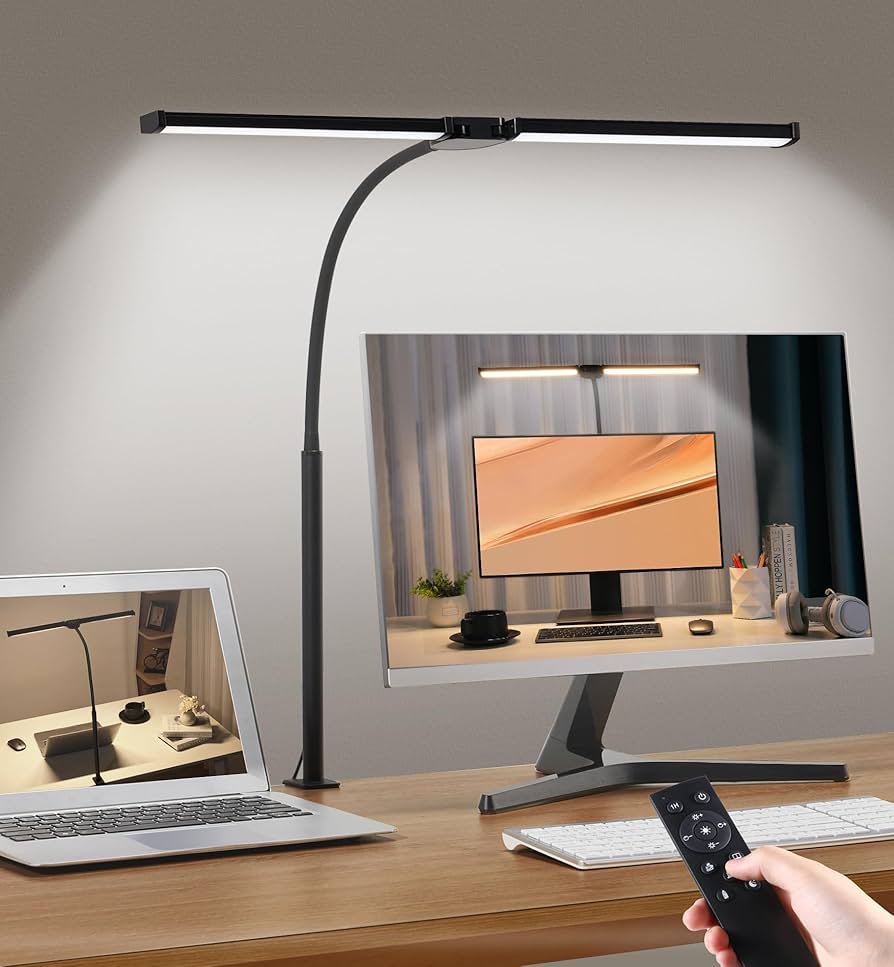
Different types of desk lamps including LED adjustable lamp monitor light bar and clamp swing arm lamp on computer workstation
LED Desk Lamps with Adjustable Arms
Adjustable LED desk lamps are one of the best options for computer work.
These lamps allow you to:
- Aim light precisely where needed
- Adjust height and angle easily
- Reduce energy usage with efficient LED bulbs
Most modern LED lamps also include brightness controls and color temperature adjustments.
Monitor Light Bars
Monitor light bars attach directly to the top of your screen.
They shine light downward onto your desk while avoiding the screen surface. This design helps prevent glare while still providing excellent task lighting.
They’re especially useful for small desks or minimal setups.
Clamp-On and Swing Arm Models
Clamp-on lamps attach to the edge of your desk, saving valuable workspace.
Swing-arm lamps extend outward and allow you to reposition the light easily.
These are great for:
- Shared desks
- Adjustable workstations
- Larger desk setups
Traditional Desk Lamps vs Modern Ergonomic Options
Traditional lamps can provide decent lighting, but modern ergonomic lamps are typically better suited for computer work.
Modern lamps often include:
- Adjustable arms
- Dimmable brightness
- Color temperature control
- Anti-glare lighting design
These features help create a workspace that supports long hours of screen use without unnecessary eye fatigue.
Desk Lamp Distance From Monitor: Best Placement for Eye Comfort
Correct placement is the most important factor in creating comfortable desk lighting.
Optimal Distance Guidelines (18–24 Inches)
The ideal distance between your desk lamp and monitor is 18 to 24 inches.
This range provides enough light to illuminate your workspace without reflecting directly off your screen.
If the lamp is too close, glare may appear. If it is too far away, your desk may remain too dark.
Testing a few positions within this range will help you find the most comfortable setup.
Proper Height and Angle Positioning
Your desk lamp should sit slightly below eye level when you are seated.
The light should shine downward toward your desk surface, not toward your monitor.
Best positioning tips:
- Angle the lamp toward your keyboard or notebook
- Keep the light slightly behind your monitor line
- Avoid placing the bulb directly in your line of sight
These adjustments help reduce reflections and keep your screen comfortable to view.
Left vs Right Side Placement Based on Dominant Hand
Your dominant hand also affects the best lamp placement.
General rule:
- Right-handed users: place lamp on the left side
- Left-handed users: place lamp on the right side
This prevents your hand from casting shadows across your work area.
Avoiding Direct Screen Glare and Reflections
If you see a bright reflection of your lamp in the monitor, your lamp needs to be repositioned.
Try these quick adjustments:
- Move the lamp slightly farther away
- Raise the lamp height
- Angle the lamp head away from the screen
When lighting is correct, you should never notice the lamp reflecting in your display.
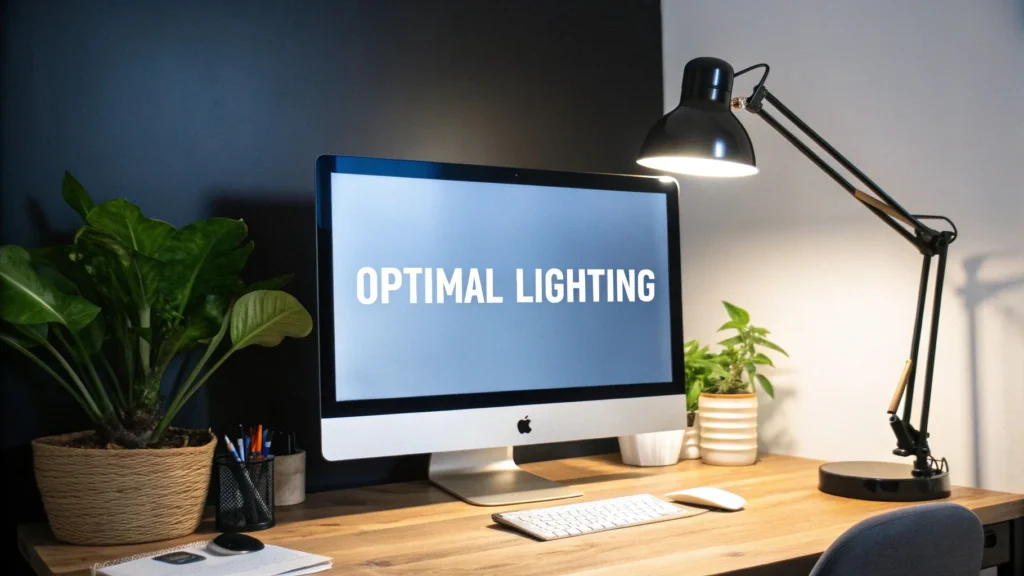
desk lamp angled toward desk surface beside monitor preventing glare on computer screen
Essential Features and Buying Considerations
If you’re choosing a desk lamp for your workspace, certain features can significantly improve comfort.
Adjustability and Flexibility Features
Look for lamps with:
- Adjustable arms
- Rotating heads
- Height adjustments
These features allow you to reposition the light easily as natural lighting changes throughout the day.
Color Temperature and Brightness Controls
Color temperature affects how the light feels in your workspace.
Recommended settings:
- 4000K–5000K (cool light): best for productivity and focus
- 2700K–3000K (warm light): better for evening use
Brightness controls are also important because different tasks require different light levels.
Size, Reach, and Desk Space Requirements
The size of your lamp should match your desk setup.
Large desks or multi-monitor setups may require lamps with longer arms, while compact desks benefit from smaller lamps or monitor light bars.
Make sure your lamp provides enough reach to illuminate your keyboard and workspace without cluttering your desk.
Conclusion
Proper desk lighting is one of the easiest ways to improve your workspace comfort.
By keeping your desk lamp 18–24 inches away from your monitor, positioning it opposite your dominant hand, and directing the light toward your desk surface, you can significantly reduce eye strain during long work sessions.
A well-lit workspace supports focus, productivity, and long-term eye comfort. Small adjustments today can make a noticeable difference in how your workspace feels every day.
FAQ
What is the ideal desk lamp distance from a monitor?
The recommended distance is 18 to 24 inches from your monitor. This spacing provides enough task lighting while reducing glare and reflections on your screen.
Does desk lamp placement affect productivity?
Yes. Proper lighting reduces eye strain and headaches, allowing you to work longer without discomfort. A comfortable workspace improves focus and productivity.
What type of desk lamp is best for computer work?
Adjustable LED desk lamps and monitor light bars are usually the best options. They provide directed lighting and reduce glare on computer screens.
How do I prevent glare on my monitor?
Position the lamp beside your monitor rather than directly behind it. Angle the light toward your desk surface and keep it at least 18 inches away from the screen.
Should my desk lamp be brighter than my monitor?
No. The lamp should complement your monitor brightness, not overpower it. Balanced lighting between the screen and surrounding workspace helps reduce eye fatigue.
Proper lighting works best when combined with a comfortable desk setup, so you may also want to read this guide on building an ergonomic workspace.
If your monitor position is causing neck or eye strain, this guide explains the ideal monitor height for a comfortable desk setup.
Good lighting also works together with your overall desk layout, so this article on desk setup ideas can help improve your workspace even more.
Disclaimer
This article is for informational and educational purposes only. It does not replace professional medical or vision advice. If you experience persistent eye discomfort, headaches, or vision problems, consult a qualified healthcare professional or eye specialist for proper evaluation.