Ever notice your vision getting blurry or your eyes feeling tired after hours at a computer? Most people blame their monitor. But in many cases, the real problem is the lighting around the screen.
The right desk lighting setup can dramatically reduce eye strain and make long work sessions far more comfortable. Instead of relying on harsh overhead lights or a dark room with a bright screen, the goal is balanced lighting.
A combination of soft ambient light and focused desk lighting creates an environment where your eyes don’t have to constantly adjust between extreme brightness levels.
When your workspace lighting is optimized, you’ll notice fewer headaches, better focus, and improved productivity throughout the day.
Key Takeaways
• Use a layered lighting setup with both ambient light and a desk lamp
• Choose adjustable lighting to control brightness and color temperature
• Position lighting to reduce glare on your monitor
• Use flicker-free LED bulbs whenever possible
• Avoid strong contrast between your monitor and the room
• Adjustable desk lamps provide the most eye-friendly flexibility
Why Proper Lighting Matters for Computer Work and Eye Health
Many people underestimate how much lighting affects eye comfort during computer work.
When lighting is poorly designed, your eyes are forced to constantly adapt between bright screens and dark surroundings. Over time this can lead to eye strain, headaches, dry eyes, and even neck tension from leaning closer to the screen.
A well-lit workspace allows your eyes to stay relaxed and focused.
Balanced lighting also improves productivity because your brain doesn’t have to work as hard to process visual information.
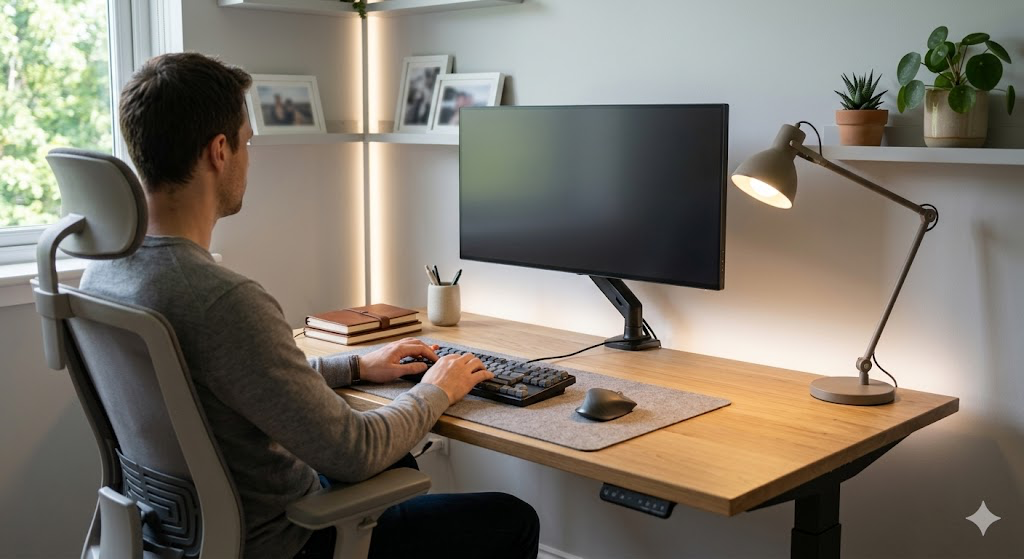
The Connection Between Poor Lighting and Eye Fatigue
When lighting is too dim, your eyes strain to read text on the screen.
When lighting is too bright, glare and reflections force your eyes to work harder to maintain focus.
Both situations create visual fatigue.
This is why balanced lighting is so important. It reduces the effort your eyes must make to adapt to changing brightness levels.
If you’re building a healthier workspace, improving your lighting is just as important as optimizing your desk layout. ergonomic desk setup for productivity
How Inadequate Desk Lighting Affects Productivity
Lighting doesn’t just affect comfort — it directly impacts how well you work.
Poor lighting can cause:
• frequent headaches
• difficulty concentrating
• faster mental fatigue
• reduced work accuracy
By improving lighting conditions, many people notice an immediate boost in productivity.
Common Lighting Mistakes That Worsen Eye Strain
Several common lighting mistakes make computer work harder on your eyes.
These include:
• placing a bright light directly behind the monitor
• working in a dark room with only the monitor providing light
• using overhead lights that create screen glare
• failing to adjust lighting throughout the day
Avoiding these mistakes can significantly improve eye comfort during long work sessions.
Understanding Different Types of Desk Lamps for Computer Work
There are several types of desk lamps designed specifically for computer work.
Choosing the right one depends on your workspace, lighting needs, and personal preference.
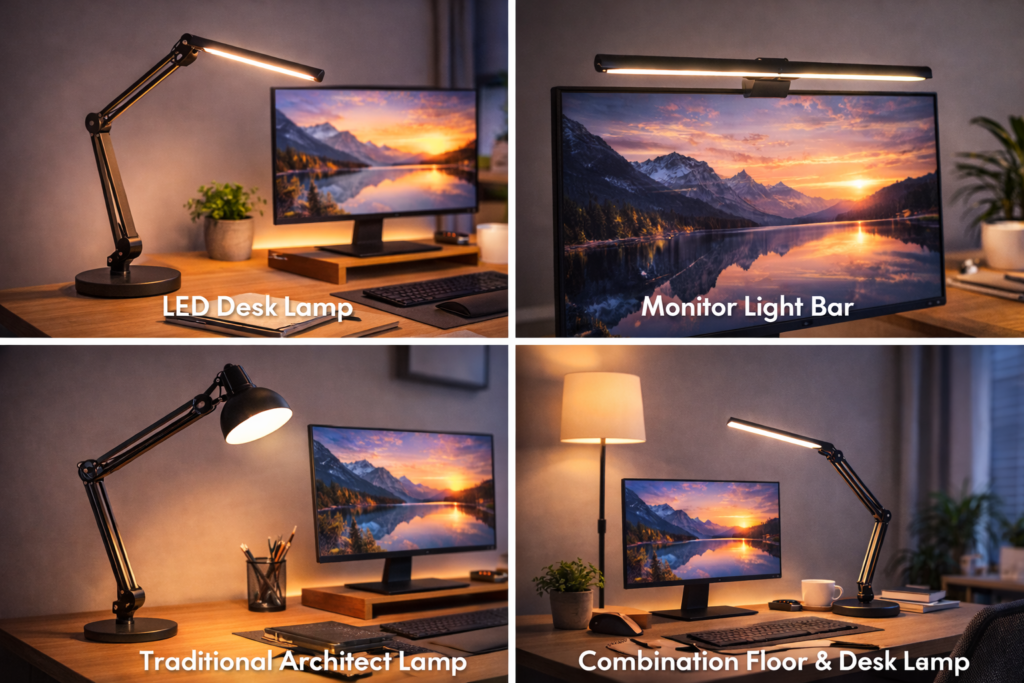
LED Desk Lamps with Adjustable Features
LED desk lamps are one of the most popular options for modern workspaces.
They are energy-efficient and often include adjustable brightness and color temperature settings.
These features allow you to customize your lighting based on the task you’re performing.
For example:
• brighter, cooler light for focused computer work
• softer, warmer light for reading or writing
Monitor Light Bars and Screen-Mounted Lighting
Monitor light bars attach to the top of your screen and shine light downward onto your desk.
These lights reduce glare and help illuminate your workspace without reflecting on the monitor.
They are especially useful for compact desks where space is limited.
Traditional Task Lamps and Architect Lamps
Traditional task lamps remain popular because of their flexibility.
Many include adjustable arms that allow you to position the light exactly where you need it.
This makes them ideal for detailed work like writing, sketching, or reviewing documents.
Combination Floor and Desk Lighting Solutions
In some workspaces, combining a desk lamp with a floor lamp creates the best lighting balance.
This approach adds ambient light to the room while the desk lamp provides focused task lighting.
The result is a more comfortable visual environment.
Best Lighting Features That Reduce Eye Strain
When choosing a desk lamp for computer work, certain features make a big difference.
Color Temperature: Finding the Right Kelvin Range
Color temperature determines whether light appears warm or cool.
For computer work, a color temperature between 3500K and 5000K is typically ideal.
This range provides bright, natural-feeling light that helps maintain focus.
Warm lighting can feel relaxing but may be too dim for detailed computer work.
Cool lighting keeps your brain alert and improves visual clarity.
Brightness Control and Dimming Capabilities
Adjustable brightness is one of the most important features for reducing eye strain.
Lighting conditions change throughout the day, especially when natural light enters the room.
A dimmable desk lamp allows you to adapt your lighting to stay comfortable.
Most desk tasks require between 200 and 500 lumens of focused light.
Flicker-Free and Blue Light Filtering Technology
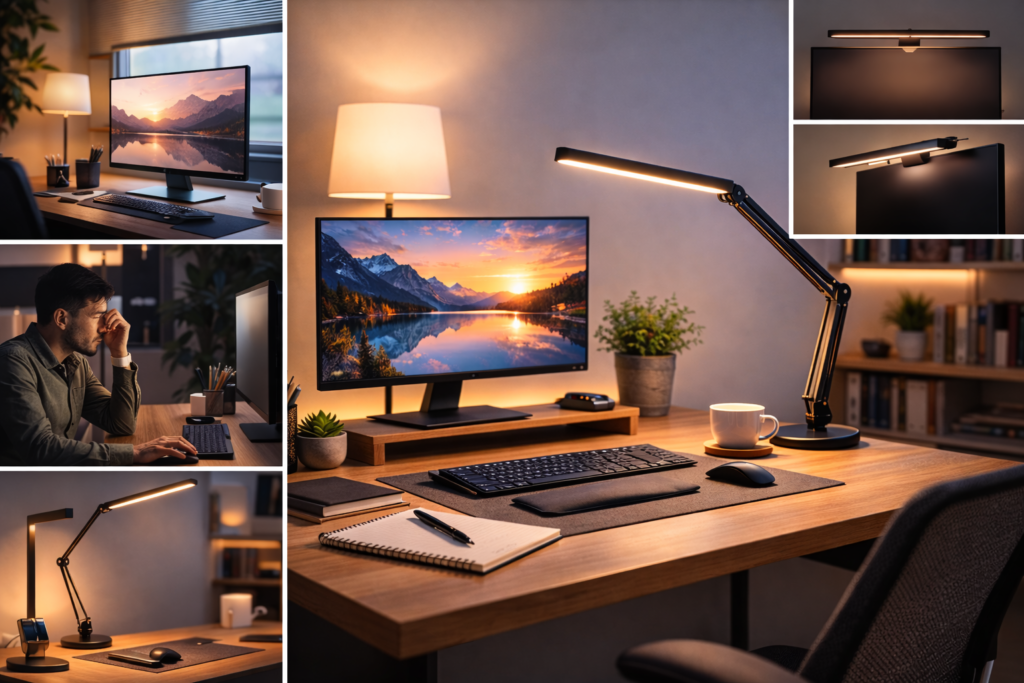
Low-quality lighting can produce flicker that is invisible but stressful for your eyes.
Flicker-free lamps help reduce headaches and eye fatigue.
Some desk lamps also include blue-light filtering technology, which may improve evening comfort when working late.
If you regularly work at night, this feature can help reduce sleep disruption.
If eye strain is already affecting you, learning how to improve your screen environment can also help. best desk lighting setup for eye strain
Adjustable Arms and Flexible Positioning
Adjustable lamp arms allow you to direct light exactly where it’s needed.
This prevents glare on your monitor and ensures the desk surface is properly illuminated.
Flexible positioning is especially useful for people who perform multiple tasks at the same desk.
Setting Up Your Desk Lamp for Optimal Eye Comfort
Choosing the right lamp is only part of the solution.
Proper placement is equally important.
Correct Lamp Placement to Reduce Screen Glare
The best position for a desk lamp is slightly to the side of your monitor.
Avoid placing the light directly behind or directly in front of the screen.
This reduces glare and reflections.
Left Side vs Right Side Lamp Positioning
The best lamp placement depends on whether you’re right- or left-handed.
Right-handed users typically benefit from placing the lamp on the left side to prevent shadows when writing.
Left-handed users may prefer the opposite arrangement.
Creating Balanced Lighting in Your Workspace
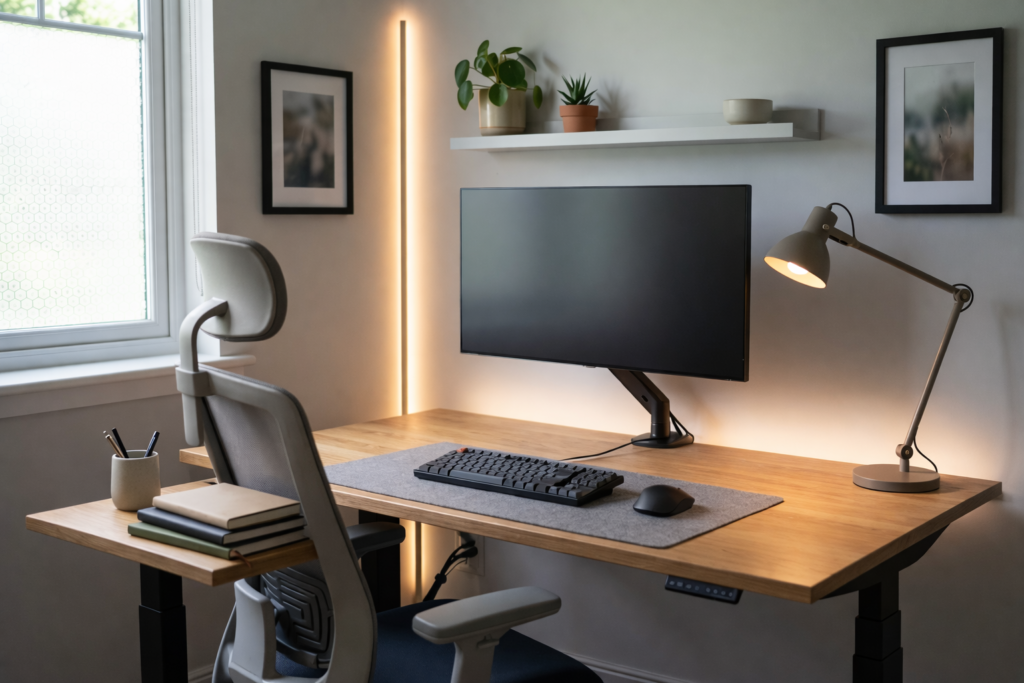
The best lighting environment combines task lighting and ambient lighting.
Your desk lamp should illuminate the work surface, while room lighting prevents harsh contrast between the screen and surrounding environment.
This balance reduces eye fatigue during long computer sessions.
If you’re upgrading your workspace, you may also benefit from reviewing modern desk accessories designed to improve productivity. best home office accessories for productivity
Smart Buying Tips for Choosing Desk Lighting
With so many options available, choosing the right desk lamp can feel overwhelming.
Here are a few practical tips to help narrow your choices.
Budget-Friendly Desk Lamp Options
Affordable LED desk lamps can still provide excellent eye comfort.
Look for models that include:
• adjustable brightness
• flexible lamp arms
• energy-efficient LED bulbs
These features are often available even in lower-priced models.
Premium Features Worth the Investment
Higher-end desk lamps often include advanced features like:
• flicker-free lighting technology
• adjustable color temperature
• smart controls or app integration
• memory settings for preferred brightness levels
These upgrades can significantly improve comfort for people who work long hours at a computer.
Energy Efficiency and Long-Term Cost
LED lighting is significantly more energy-efficient than older lighting technologies.
Because LED bulbs last much longer, they also reduce replacement costs over time.
What to Look for in Reviews
Before purchasing a desk lamp, check user reviews for feedback on:
• brightness quality
• adjustability
• durability
• ease of setup
This helps you avoid poorly designed products and choose lighting that truly improves your workspace.
Conclusion
Creating the right lighting environment for computer work can dramatically improve both comfort and productivity.
A well-placed desk lamp with adjustable brightness, balanced color temperature, and flexible positioning can reduce eye strain and make long work sessions far easier on your eyes.
By combining task lighting with ambient lighting, you can create a workspace that supports both focus and long-term eye health.
Small changes in lighting often lead to noticeable improvements in how comfortable and productive your workspace feels.
Disclaimer
This article is for informational purposes only and should not be considered medical advice. If you experience persistent eye discomfort, headaches, or vision issues, consult a qualified healthcare professional.
MarketPlazaNow.com participates in affiliate programs and may earn commissions from qualifying purchases.